
User Manual
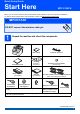
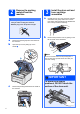
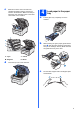
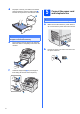
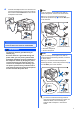
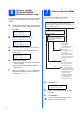
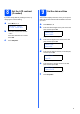
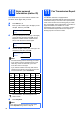
Table Of Contents
- Quick Setup Guide MFC-9120CN
- Start Here
- 1 Unpack the machine and check the components
- 2 Remove the packing material from the machine
- 3 Install the drum unit and toner cartridge assemblies
- 4 Load paper in the paper tray
- 5 Connect the power cord and telephone line
- 6 Set your country (for Australia/New Zealand customer only)
- 7 Choose a Receive Mode
- 8 Set the LCD contrast (if needed)
- 9 Set the date and time
- 10 Enter personal information (station ID)
- 11 Fax Transmission Report
- 12 Set tone or pulse dialling mode (not available for New Zealand)
- 13 Dial Prefix
- 14 Automatic Daylight Savings Time
- 15 Choose your connection type
- For USB Interface Users (Windows® 2000 Professional/XP/XP Professional x64 Edition/ Windows Vista®)
- For USB Interface Users (Mac OS X 10.3.9 or greater)
- For Wired Network Interface Users (Windows® 2000 Professional/XP/XP Professional x64 Edition/ Windows Vista®)
- For Wired Network Interface Users (Mac OS X 10.3.9 or greater)
- For Network Users
- Options and Consumables
- brother ARL/ASA/NZ
- Start Here

10
10
Enter personal
information (station ID)
You should store your name and fax number to be
printed on all fax pages that you send.
a Press Menu, 0, 3.
b Enter your fax number (up to 20 digits) on the
dial pad, and then press OK.
Station ID
Fax:
c Enter your telephone number (up to 20 digits)
on the dial pad, and then press OK. If your
telephone number and fax number are the
same, enter the same number again.
Station ID
Tel:
d Use the dial pad to enter your name (up to 20
characters), and then press OK.
Station ID
Name:
e Press Stop/Exit.
11
Fax Transmission Report
Your Brother machine is equipped with a
Transmission Verification Report that can be used as
confirmation that you sent a fax. This report lists the
name or fax number of the receiving party, the date,
time, and duration of the transmission, the number of
pages transmitted, and whether or not the
transmission was successful. If you want to use the
Fax Transmission Report feature see Chapter 11
Printing reports in the User’s Guide.
Note
• See the following chart for entering your name.
• If you need to enter a character that is on the
same key as the last character, press c to
move the cursor to the right.
• If you entered a letter incorrectly and want to
change it, press d or c to move the cursor to the
incorrect character, press Clear/Back.
Press
key
One
time
Two
times
Three
times
Four
times
Five
times
2 ABC2A
3 DEF 3D
4 GH I 4G
5 JKL5J
6 MNO 6M
7 PQRS7
8 TUV8T
9 WXYZ9
For more details, see Entering text in the
User’s Guide.
Note
If you make a mistake and want to start again,
press Stop/Exit and go back to step a.