
User Manual


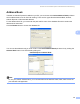


Table Of Contents
- SOFTWARE USER’S GUIDE DCP-9010CN MFC-9120CN MFC-9320CW
- Trademarks
- Table of Contents
- Windows®
- 1 Printing
- Using the Brother printer driver
- Printing a document
- Duplex printing
- Simultaneous scanning, printing and faxing
- Printer operation keys
- Status Monitor
- Printer driver settings
- Features in the Windows® printer driver
- Basic tab
- Advanced tab
- Tray Settings tab
- Support
- Features in the BR-Script (PostScript® 3™ language emulation) printer driver
- 2 Scanning
- 3 ControlCenter3
- 4 Remote Setup (MFC-9120CN and MFC-9320CW only)
- 5 Brother PC-FAX Software (MFC-9120CN and MFC-9320CW only)
- 6 Firewall settings (For Network users)
- 1 Printing
- Apple Macintosh
- 7 Printing and Faxing
- Printer operation key
- Status Monitor
- Features in the printer driver (Macintosh)
- Removing the Printer driver for Macintosh
- Using the BR-Script3 Driver (PostScript® 3™ language emulation printer driver)
- Features in the BR-Script 3 (PostScript® 3™ language emulation) printer driver
- Sending a fax (MFC-9120CN and MFC-9320CW only)
- 8 Scanning
- 9 ControlCenter2
- 10 Remote Setup
- 7 Printing and Faxing
- Using The Scan key
- 11 Scanning (For USB cable users)
- 12 Network Scanning
- Index

Brother PC-FAX Software (MFC-9120CN and MFC-9320CW only)
88
5
Address Book 5
If Outlook or Outlook Express is installed on your PC, you can choose in the Select Address Book pull-down
which address book to use for PC-FAX sending. There are four types: Brother Address Book, Outlook,
Outlook Express or Windows Mail Address.
For the address book file, you must enter the path and file name of the database file which contains the
address book information.
Click the Browse button to choose the database file.
You can use the address book you have chosen in the Select Address Book pull-down list by clicking the
Address Book button in the FAX Sending dialog box.
Outlook Express Address Book
5
Note
To use your Outlook Address Book, you must select Microsoft
®
Outlook
®
2000, 2002, 2003 or 2007 as
your default E-mail application.