
User Manual
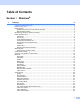
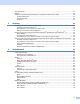


Table Of Contents
- SOFTWARE USER’S GUIDE DCP-9010CN MFC-9120CN MFC-9320CW
- Trademarks
- Table of Contents
- Windows®
- 1 Printing
- Using the Brother printer driver
- Printing a document
- Duplex printing
- Simultaneous scanning, printing and faxing
- Printer operation keys
- Status Monitor
- Printer driver settings
- Features in the Windows® printer driver
- Basic tab
- Advanced tab
- Tray Settings tab
- Support
- Features in the BR-Script (PostScript® 3™ language emulation) printer driver
- 2 Scanning
- 3 ControlCenter3
- 4 Remote Setup (MFC-9120CN and MFC-9320CW only)
- 5 Brother PC-FAX Software (MFC-9120CN and MFC-9320CW only)
- 6 Firewall settings (For Network users)
- 1 Printing
- Apple Macintosh
- 7 Printing and Faxing
- Printer operation key
- Status Monitor
- Features in the printer driver (Macintosh)
- Removing the Printer driver for Macintosh
- Using the BR-Script3 Driver (PostScript® 3™ language emulation printer driver)
- Features in the BR-Script 3 (PostScript® 3™ language emulation) printer driver
- Sending a fax (MFC-9120CN and MFC-9320CW only)
- 8 Scanning
- 9 ControlCenter2
- 10 Remote Setup
- 7 Printing and Faxing
- Using The Scan key
- 11 Scanning (For USB cable users)
- 12 Network Scanning
- Index

vi
9 ControlCenter2 156
Using ControlCenter2 ............................................................................................................................156
Turning the AutoLoad feature off.....................................................................................................157
SCAN.....................................................................................................................................................158
File types .........................................................................................................................................159
Document Size ................................................................................................................................159
Image (example: Apple Preview).....................................................................................................159
OCR (word processing application).................................................................................................161
E-mail ..............................................................................................................................................162
File...................................................................................................................................................163
CUSTOM SCAN ....................................................................................................................................164
File types .........................................................................................................................................165
Document Size ................................................................................................................................165
User-defined button .........................................................................................................................165
Scan to Image .................................................................................................................................166
Scan to OCR ...................................................................................................................................167
Scan to E-mail .................................................................................................................................168
Scan to File......................................................................................................................................169
COPY / PC-FAX (PC-FAX is on MFC-9120CN and MFC-9320CW only) .............................................171
DEVICE SETTINGS ..............................................................................................................................173
Remote Setup (MFC-9120CN and MFC-9320CW only) .................................................................173
Quick-Dial (MFC-9120CN and MFC-9320CW only)........................................................................174
Status Monitor .................................................................................................................................174
10 Remote Setup 175
Remote Setup (MFC-9120CN and MFC-9320CW only)........................................................................175