
User Manual




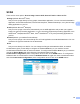
Table Of Contents
- SOFTWARE USER’S GUIDE DCP-9010CN MFC-9120CN MFC-9320CW
- Trademarks
- Table of Contents
- Windows®
- 1 Printing
- Using the Brother printer driver
- Printing a document
- Duplex printing
- Simultaneous scanning, printing and faxing
- Printer operation keys
- Status Monitor
- Printer driver settings
- Features in the Windows® printer driver
- Basic tab
- Advanced tab
- Tray Settings tab
- Support
- Features in the BR-Script (PostScript® 3™ language emulation) printer driver
- 2 Scanning
- 3 ControlCenter3
- 4 Remote Setup (MFC-9120CN and MFC-9320CW only)
- 5 Brother PC-FAX Software (MFC-9120CN and MFC-9320CW only)
- 6 Firewall settings (For Network users)
- 1 Printing
- Apple Macintosh
- 7 Printing and Faxing
- Printer operation key
- Status Monitor
- Features in the printer driver (Macintosh)
- Removing the Printer driver for Macintosh
- Using the BR-Script3 Driver (PostScript® 3™ language emulation printer driver)
- Features in the BR-Script 3 (PostScript® 3™ language emulation) printer driver
- Sending a fax (MFC-9120CN and MFC-9320CW only)
- 8 Scanning
- 9 ControlCenter2
- 10 Remote Setup
- 7 Printing and Faxing
- Using The Scan key
- 11 Scanning (For USB cable users)
- 12 Network Scanning
- Index

Scanning
54
2
Using Presto! PageManager 2
Presto! PageManager is an application for managing the documents. Since it is compatible with most image
editors and word processing programs, Presto! PageManager gives you unmatched control over your files.
You can easily manage your documents, edit your E-mail and files and read documents with the OCR
software built into Presto! PageManager.
If you use the machine as a scanner, we recommend that you install Presto! PageManager. To install
Presto! PageManager, see the Quick Setup Guide.
Note
The complete NewSoft Presto! PageManager User’s Guide can be viewed from the Help icon in NewSoft
Presto! PageManager.
Features
You can share files by converting them to portable file formats like PDF and Presto! Wrapper.
You can easily organize files just like Windows
®
Explorer.
You can easily stack related image and document files.
You can aquire text out of an image with reliable and accurate OCR (Optional Character Recognition).
You can add note without affecting the original file with handy annotation tools, such as text, stamp,
highlighter, straight line, freehand line, sticky note and bookmark.
You can enhance images with a set of image tools such as crop, rotate, flip, invert color,
autoenhancement, bright and contrast and remove noise.
System requirements for Presto! PageManager 2
Personal computer with Pentium II 266 MHz or higher processor
Microsoft Windows
®
2000/XP, Windows Vista
®
150MB free hard disk space for installation
64 MB RAM
CD-ROM drive
Microsoft
®
Internet Explorer 5.0 or later
Recommended: 2
256 color SVGA or higher display card
128MB RAM
Outlook, Outlook Express, Netscape Mail, cc:Mail, or other electronic mail software