
User`s guide



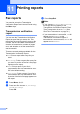

Table Of Contents
- USER’S GUIDE MFC-9120CN MFC-9320CW
- Approval Information and Compilation and Publication Notice
- EC Declaration of Conformity
- Table of Contents
- Section I: General
- 1 General information
- Using the documentation
- Accessing the Software User’s Guide and Network User’s Guide
- Viewing documentation
- Viewing documentation (Windows®)
- How to find scanning instructions
- Software User’s Guide:
- ScanSoft™ PaperPort™ 11SE with OCR How-to-Guides:
- How to find Network setup instructions
- Viewing documentation (Macintosh)
- How to find scanning instructions
- Software User’s Guide:
- Presto! PageManager User’s Guide:
- How to find Network setup instructions
- Viewing documentation
- Accessing Brother Support (For Windows®)
- Control panel overview
- 2 Loading paper and documents
- 3 General Setup
- 4 Security features
- 1 General information
- Section II: Fax
- 5 Sending a fax
- How to fax
- Broadcasting (black & white only)
- Additional sending operations
- Sending faxes using multiple settings
- Electronic cover page (black & white only)
- Contrast
- Changing Fax Resolution
- Dual access (black & white only)
- Real Time Transmission
- Overseas Mode
- Delayed Fax (black & white only)
- Delayed batch transmission (black & white only)
- Checking and cancelling waiting jobs
- Sending a fax manually
- Out of memory message
- 6 Receiving a fax
- 7 Telephone and external devices
- 8 Dialling and storing numbers
- 9 Remote Fax Options (black & white only)
- 10 Polling
- 11 Printing reports
- 5 Sending a fax
- Section III: Copy
- Section IV: Direct printing
- Section V: Software
- Section VI: Appendixes
- A Safety and legal
- B Options
- C Troubleshooting and routine maintenance
- Troubleshooting
- Error and maintenance messages
- Routine maintenance
- Replacing the consumable items
- Replacing periodic maintenance parts
- Machine Information
- Packing and shipping the machine
- D Menu and features
- E Specifications
- F Glossary
- Index
- brother UK/IRE

73
10
10
Polling lets you set up your machine so other
people can receive faxes from you, but they
pay for the call. It also lets you call somebody
else’s fax machine and receive a fax from it,
so you pay for the call. The polling feature
needs to be set up on both machines for this
to work. Not all fax machines support polling.
Polling receive 10
Polling receive lets you call another fax
machine to receive a fax.
a Make sure you are in Fax mode .
b Press Menu, 2, 1, 8.
c Press a or b to choose Standard.
Press OK.
d Enter the fax number you are polling.
Press Start.
Secure polling 10
Secure polling lets you restrict who can get
the documents you set up to be polled.
Secure polling only works with Brother fax
machines. If you want to get a fax from a
secured Brother machine you have to enter
the secure code.
a Make sure you are in Fax mode .
b Press Menu, 2, 1, 8.
c Press a or b to choose Secure.
Press OK.
d Enter a four-digit secure code.
Press OK.
This is the security code of the fax
machine you are polling.
e Enter the fax number you are polling.
f Press Start.
Delayed polling 10
Delayed polling lets you set the machine to
begin polling receive at a later time. You can
only set up one delayed polling operation.
a Make sure you are in Fax mode .
b
Press Menu, 2, 1, 8.
c Press a or b to choose Timer.
Press OK.
d Enter the time (in 24-hour format) you
want to begin polling.
For example, enter 21:45 for 9:45 PM.
Press OK.
e Enter the fax number you are polling.
Press Start.
The machine makes the polling call at
the time you entered.
Polling 10