
User`s guide
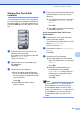
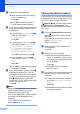
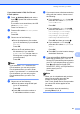
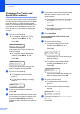


Table Of Contents
- USER’S GUIDE MFC-9120CN MFC-9320CW
- Approval Information and Compilation and Publication Notice
- EC Declaration of Conformity
- Table of Contents
- Section I: General
- 1 General information
- Using the documentation
- Accessing the Software User’s Guide and Network User’s Guide
- Viewing documentation
- Viewing documentation (Windows®)
- How to find scanning instructions
- Software User’s Guide:
- ScanSoft™ PaperPort™ 11SE with OCR How-to-Guides:
- How to find Network setup instructions
- Viewing documentation (Macintosh)
- How to find scanning instructions
- Software User’s Guide:
- Presto! PageManager User’s Guide:
- How to find Network setup instructions
- Viewing documentation
- Accessing Brother Support (For Windows®)
- Control panel overview
- 2 Loading paper and documents
- 3 General Setup
- 4 Security features
- 1 General information
- Section II: Fax
- 5 Sending a fax
- How to fax
- Broadcasting (black & white only)
- Additional sending operations
- Sending faxes using multiple settings
- Electronic cover page (black & white only)
- Contrast
- Changing Fax Resolution
- Dual access (black & white only)
- Real Time Transmission
- Overseas Mode
- Delayed Fax (black & white only)
- Delayed batch transmission (black & white only)
- Checking and cancelling waiting jobs
- Sending a fax manually
- Out of memory message
- 6 Receiving a fax
- 7 Telephone and external devices
- 8 Dialling and storing numbers
- 9 Remote Fax Options (black & white only)
- 10 Polling
- 11 Printing reports
- 5 Sending a fax
- Section III: Copy
- Section IV: Direct printing
- Section V: Software
- Section VI: Appendixes
- A Safety and legal
- B Options
- C Troubleshooting and routine maintenance
- Troubleshooting
- Error and maintenance messages
- Routine maintenance
- Replacing the consumable items
- Replacing periodic maintenance parts
- Machine Information
- Packing and shipping the machine
- D Menu and features
- E Specifications
- F Glossary
- Index
- brother UK/IRE

Dialling and storing numbers
63
8
d Enter a new number or character.
Press OK.
e Press d or c to position the cursor under
the character you want to change, and
then press Clear/Back to delete it.
Repeat for each character you want to
delete.
f Follow the directions beginning in
step e in Storing One-Touch dial
numbers and Storing Speed-Dial
numbers. (See Storing One Touch Dial
numbers on page 59 and Storing Speed
Dial numbers on page 60.)
Setting up Groups for
Broadcasting 8
If you often want to send the same fax
message to many fax numbers you can set
up a group.
Groups are stored on a One Touch key or a
Speed Dial number. Each group uses up a
One Touch key or a Speed Dial location. You
can then send the fax message to all the
numbers stored in a group just by pressing a
One Touch key or entering a Speed Dial
number, and then pressing Mono Start.
Before you can add numbers to a group, you
need to store them as One Touch or Speed
Dial numbers. You can have up to 20 small
groups, or you can assign up to 207 numbers
to one large group.
a Press Menu, 2, 3, 3.
b Choose the One Touch key or Speed
Dial location where you want to store the
group.
Press a One Touch key.
Press (Address Book) and then
enter the three-digit Speed Dial
location.
Press OK.
c Use the dial pad to enter a group
number (01 to 20).
Press OK.
d To add One Touch or Speed Dial
numbers follow the instructions below:
For One Touch numbers, press the
One Touch keys one after the other.
For Speed Dial numbers, press
(Address Book) and then enter
the three-digit Speed Dial location.
The LCD will display your chosen One
Touch numbers with a l and Speed Dial
numbers with a # (for example l006,
#009).