
User`s guide

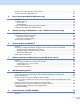


Table Of Contents
- NETWORK USER’S GUIDE
- Table of Contents
- 1 Introduction
- 2 Configuring your machine for a network
- Overview
- IP addresses, subnet masks and gateways
- Step by step chart
- Setting the IP address and subnet mask
- Changing the print server settings
- Using the BRAdmin Light utility to change the print server settings
- Using the BRAdmin Professional 3 utility to change print server settings (Windows®)
- Using the control panel to change the print server settings
- Using Web Based Management (web browser) to change the print/scan server settings
- Using Remote Setup to change the print server settings (Not available for Windows Server® 2003/2008) (Not available for DCP-8085DN)
- Using other methods to change print server settings
- 3 Control panel setup
- 4 Driver Deployment Wizard (Windows® only)
- 5 Network printing from Windows®: basic TCP/IP Peer-to-Peer printing
- 6 Internet printing for Windows®
- 7 Network printing from Macintosh using the BR-Script 3 driver
- 8 Web Based Management
- Overview
- How to configure the machine settings using Web Based Management (web browser)
- Password information
- Secure Function Lock 2.0 (Not available for MFC-8370DN)
- Changing the Scan to FTP configuration using a web browser
- Changing the Scan to Network configuration using a web browser
- Changing the LDAP configuration using a web browser (For MFC-8880DN)
- 9 LDAP operation (For MFC-8880DN)
- 10 Internet fax and Scan to E-mail (E-mail server) (For MFC-8880DN)
- Internet fax Overview
- Getting connected
- Control panel key functions
- Sending an Internet fax
- Manually entering text
- Receiving E-mail or Internet fax
- Receiving an Internet fax to your computer
- Forwarding received E-mail and fax messages
- Relay broadcasting
- TX Verification Mail
- Setup Mail TX
- Setup Mail RX
- Error mail
- Important information on Internet fax
- Scan to E-mail (E-mail server) overview
- Internet fax Overview
- 11 Security features
- 12 Troubleshooting
- Appendix A
- Using services
- Other ways to set the IP address (for advanced users and administrators)
- Using DHCP to configure the IP address
- Using BOOTP to configure the IP address
- Using RARP to configure the IP address
- Using APIPA to configure the IP address
- Using ARP to configure the IP address
- Using the TELNET console to configure the IP address
- Using the Brother Web BRAdmin server software for IIS to configure the IP address
- Installation when using web services (Windows Vista®)
- Installation when using a Network Print Queue or Share (printer driver only)
- Appendix B
- Appendix C
- Index

i
Definitions of notes
We use the following icon throughout this User’s Guide:
Trademarks
The Brother logo is a registered trademark of Brother Industries, Ltd.
Brother is a registered trademark of Brother Industries, Ltd.
Microsoft, Windows, Windows Server and Internet Explorer are registered trademarks of Microsoft
Corporation in the United States and/or other countries.
Windows Vista is either a registered trademark or a trademark of Microsoft Corporation in the United States
and other countries.
Apple, Macintosh, Safari and TrueType are trademarks of Apple Inc., registered in the United States and
other countries.
Linux is the registered trademark of Linus Torvalds in the U.S. and other countries.
UNIX is a registered trademark of The Open Group in the United States and other countries.
Adobe, Flash, Illustrator, PageMaker, Photoshop, PostScript and PostScript 3 are either registered
trademarks or trademarks of Adobe Systems Incorporated in the United States and/or other countries.
OpenLDAP is a registered trademark of the OpenLDAP Foundation.
Each company whose software title is mentioned in this manual has a Software License Agreement specific
to its proprietary programs.
All other trademarks are the property of their respective owners.
IMPORTANT
IMPORTANT describes procedures you must follow or avoid to prevent
possible printer problems or printer damage, or damage to other objects.
Note
Notes tell you how you should respond to a situation that may arise or give
tips about how the current operation works with other features.