
User Manual
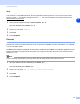

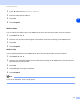
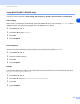


Table Of Contents
- Network USER’S GUIDE
- Table of contents
- 1 Introduction
- 2 Configuring your network printer
- Overview
- IP addresses, subnet masks and gateways
- Setting the IP address and subnet mask
- Changing the print server settings
- 3 Control Panel Setup
- LAN Main Setup Menu
- Setup TCP/IP
- Ethernet
- Setup I-Fax (MFC-8860DN only)
- Setup Mail RX (MFC-8860DN only)
- Setup Mail TX (MFC-8860DN only)
- Setup Relay (MFC-8860DN only)
- Scan to E-mail (E-mail server) (MFC-8860DN only)
- Scan to FTP
- Fax to Server (MFC-8860DN only)
- Time Zone (MFC-8860DN only)
- Restoring the network settings to factory default
- Printing the Network Configuration List
- LAN Main Setup Menu
- 4 Network printing from Windows® basic TCP/IP Peer-to-Peer printing
- 5 Internet printing for Windows®
- Overview
- Quick Tips
- Brother Internet Print General Information
- Brother Internet Print: Configuring the Brother Print Server
- Brother Internet Print: Using the BRAdmin Professional utility to Configure the Print Server
- Brother Internet Print: Using a Web Browser to Configure the Print Server
- Brother Internet Print: Installing the BIP software on Windows® 98/Me/2000/XP and Windows NT® 4.0
- Adding a Second Brother Internet Port
- Windows® 2000/XP IPP printing
- Specifying a different URL
- Other sources of information
- Overview
- 6 Network printing from a Macintosh®
- 7 Web Based Management
- 8 LDAP Operation (MFC-8860DN only)
- 9 Internet FAX (MFC-8860DN only)
- Overview
- Getting Connected
- Control Panel Key Functions
- Sending an Internet Fax
- Manually Entering Text
- Receiving E-mail or Internet Fax
- Receiving an Internet Fax to a PC
- Forwarding Received E-mail and Fax Messages
- Relay Broadcasting
- TX Verification Mail
- Setup Mail (TX)
- Setup Mail (RX)
- Error mail
- Important information on Internet Fax
- Overview
- 10 Troubleshooting
- Appendix A
- Using services
- Other ways to set the IP address (for advanced users and Administrators)
- Using DHCP to configure the IP address
- Using BOOTP to configure the IP address
- Using RARP to configure the IP address
- Using APIPA to configure the IP address
- Using ARP to configure the IP address
- Using the TELNET console to configure the IP address
- Using the Brother Web BRAdmin server software for IIS* to configure the IP address
- Installation when using a Network Print Queue or Share (printer driver only)
- Multi-function Print Server specifications
- Function Table and Default Factory Settings
- Entering Text
- Index

Control Panel Setup
22
3
Setup Mail RX (MFC-8860DN only)
This menu has five selections Auto Polling, Poll Frequency, Header, Del Error Mail and Notification.
Auto Polling
When set to On the machine automatically checks the POP3 server for new messages. “No Mail” will be
displayed if there are no E-mail messages when the POP3 server is polled.
1
Press Menu, 6, 3, 2, 1.
2
Press ▲ or ▼ to select On or Off.
3
Press OK.
4
Press Stop/Exit.
Poll Frequency
Sets the interval for checking for new messages on the POP3 server (default is 10Min).
1
Press Menu, 6, 3, 2, 2.
2
Enter the polling frequency.
3
Press OK.
4
Press Stop/Exit.
Header
This selection allows the contents of the mail header to be printed when the received message is printed
(Subject+From+To or All or None).
1
Press Menu, 6, 3, 2, 3.
2
Press ▲ or ▼ to select All or Subject+From+To or None.
3
Press OK.
4
Press Stop/Exit.