
User Manual

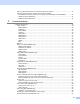
Table Of Contents
- Network USER’S GUIDE
- Table of contents
- 1 Introduction
- 2 Configuring your network printer
- Overview
- IP addresses, subnet masks and gateways
- Setting the IP address and subnet mask
- Changing the print server settings
- 3 Control Panel Setup
- LAN Main Setup Menu
- Setup TCP/IP
- Ethernet
- Setup I-Fax (MFC-8860DN only)
- Setup Mail RX (MFC-8860DN only)
- Setup Mail TX (MFC-8860DN only)
- Setup Relay (MFC-8860DN only)
- Scan to E-mail (E-mail server) (MFC-8860DN only)
- Scan to FTP
- Fax to Server (MFC-8860DN only)
- Time Zone (MFC-8860DN only)
- Restoring the network settings to factory default
- Printing the Network Configuration List
- LAN Main Setup Menu
- 4 Network printing from Windows® basic TCP/IP Peer-to-Peer printing
- 5 Internet printing for Windows®
- Overview
- Quick Tips
- Brother Internet Print General Information
- Brother Internet Print: Configuring the Brother Print Server
- Brother Internet Print: Using the BRAdmin Professional utility to Configure the Print Server
- Brother Internet Print: Using a Web Browser to Configure the Print Server
- Brother Internet Print: Installing the BIP software on Windows® 98/Me/2000/XP and Windows NT® 4.0
- Adding a Second Brother Internet Port
- Windows® 2000/XP IPP printing
- Specifying a different URL
- Other sources of information
- Overview
- 6 Network printing from a Macintosh®
- 7 Web Based Management
- 8 LDAP Operation (MFC-8860DN only)
- 9 Internet FAX (MFC-8860DN only)
- Overview
- Getting Connected
- Control Panel Key Functions
- Sending an Internet Fax
- Manually Entering Text
- Receiving E-mail or Internet Fax
- Receiving an Internet Fax to a PC
- Forwarding Received E-mail and Fax Messages
- Relay Broadcasting
- TX Verification Mail
- Setup Mail (TX)
- Setup Mail (RX)
- Error mail
- Important information on Internet Fax
- Overview
- 10 Troubleshooting
- Appendix A
- Using services
- Other ways to set the IP address (for advanced users and Administrators)
- Using DHCP to configure the IP address
- Using BOOTP to configure the IP address
- Using RARP to configure the IP address
- Using APIPA to configure the IP address
- Using ARP to configure the IP address
- Using the TELNET console to configure the IP address
- Using the Brother Web BRAdmin server software for IIS* to configure the IP address
- Installation when using a Network Print Queue or Share (printer driver only)
- Multi-function Print Server specifications
- Function Table and Default Factory Settings
- Entering Text
- Index

i
Definitions of warnings, cautions, and notes
We use the following icon throughout this User’s Guide:
Trademarks
Brother and the Brother logo are registered trademarks and BRAdmin Professional is a trademark of Brother
Industries, Ltd.
UNIX is a registered trademark of The Open Group.
Apple, Macintosh, and LaserWriter are registered trademarks of Apple Computer, Inc.
HP, Hewlett-Packard, Jetdirect and PCL are registered trademarks of Hewlett-Packard Company.
Microsoft, Windows and Windows NT are registered trademarks of Microsoft Corporation.
OpenLDAP is a registered trademark of the OpenLDAP Foundation.
All other terms, brand and product names mentioned in this User’s Guide are registered trademarks or
trademarks of their respective companies.
OpenLDAP Statements
This product includes software developed by the OpenLDAP Project.
Unless otherwise expressly stated herein, The OpenLDAP Public License Version 2.8 shall be applied to
individual files.
Copyright 1998-2005 The OpenLDAP Foundation All rights reserved.
Redistribution and use in source and binary forms, with or without modification, are permitted only as
authorized by the OpenLDAP Public License.
A copy of this license is available in the file LICENSE in the top-level directory of the distribution or,
alternatively, at <http://www.OpenLDAP.org/license.html>.
Portions Copyright 1999 Lars Uffmann.
Portions Copyright 1998 A. Hartgers.
All rights reserved.
Redistribution and use in source and binary forms, with or without modification, are permitted only as
authorized by the OpenLDAP Public License.
Portions Copyright ©1990, 1993-1996 Regents of the University of Michigan. All rights reserved.
Redistribution and use in source and binary forms are permitted provided that this notice is preserved and
that due credit is given to the University of Michigan at Ann Arbor. The name of the University may not be
used to endorse or promote products derived from this software without specific prior written permission. This
software is provided ``as is'' without express or implied warranty.
Notes tell you how you should respond to a situation that may arise or give tips about how the
operation works with other features.