
Printer User Guide
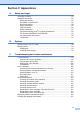
Table Of Contents
- USER’S GUIDE MFC-8460N/MFC-8860DN/MFC-8870DW
- Approval Information and Compilation and Publication Notice
- EC Declaration of Conformity under the R & TTE Directive
- Table of Contents
- Section I: General
- 1 General information
- Using the documentation
- Accessing the complete User’s Guide
- Viewing documentation
- Viewing documentation (Windows®)
- How to find Scanning instructions
- Software User's Guide:
- PaperPort® User's Guide:
- How to find Internet FAX instructions (MFC-8860DN and MFC-8870DW only)
- Viewing Documentation (Macintosh®)
- How to find Scanning instructions
- Software User's Guide:
- Presto!® PageManager® User's Guide:
- How to find Internet FAX instructions (MFC-8860DN and MFC-8870DW only)
- Viewing documentation
- Control panel overview
- 2 Loading documents and paper
- 3 General setup
- 4 Security features
- 1 General information
- Section II: Fax
- 5 Sending a fax
- How to fax
- Broadcasting
- Additional sending operations
- 6 Receiving a fax
- 7 Phone and external devices
- 8 Dialling and storing numbers
- 9 Remote fax options
- 10 Printing reports
- 11 Polling
- 5 Sending a fax
- Section III: Copy
- Section IV: Software
- Section V: Appendices
- A Safety and Legal
- B Options
- C Troubleshooting and routine maintenance
- D Menu and Features
- E Specifications E
- F Glossary
- Index
- brother UK/IRE/SAF

iii
Table of Contents
Section I General
1 General information
Using the documentation.......................................................................................2
Symbols and conventions used in the documentation ....................................2
Accessing the complete User’s Guide...................................................................2
Viewing documentation ...................................................................................2
Control panel overview ..........................................................................................5
Status LED indications ....................................................................................8
2 Loading documents and paper
Loading documents .............................................................................................10
Using the ADF ...............................................................................................10
Using the scanner glass ................................................................................11
Acceptable paper and other media......................................................................11
Recommended media ...................................................................................11
Handling and using media .............................................................................12
Loading paper, and other media..........................................................................14
Loading paper................................................................................................14
Loading envelopes and other media .............................................................15
Printable Area................................................................................................16
3 General setup
Mode timer...........................................................................................................17
Paper settings......................................................................................................17
Paper Type ....................................................................................................17
Paper Size .....................................................................................................18
Tray use in Copy mode .................................................................................18
Tray use in Fax mode....................................................................................19
Tray use in Print mode ..................................................................................19
Volume Settings...................................................................................................20
Ring volume...................................................................................................20
Beeper volume ..............................................................................................20
Speaker volume.............................................................................................20
Automatic daylight savings time ..........................................................................21
Ecology features..................................................................................................21
Toner save.....................................................................................................21
Sleep time......................................................................................................22
Turning off the scanner lamp.........................................................................22
LCD Contrast.......................................................................................................22