
Network User's Guide
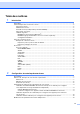
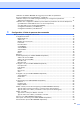
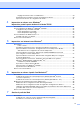
Table Of Contents
- GUIDE UTILISATEUR RÉSEAU
- Table des matières
- 1 Introduction
- 2 Configuration de votre imprimante réseau
- Présentation
- Adresses IP, masques de sous-réseau et passerelles
- Paramétrage de l'adresse IP et du masque de sous-réseau
- Utilisation de l'utilitaire BRAdmin Professional et du protocole TCP/IP pour configurer votre imprimante réseau (pour Windows® uniquement)
- Utilisation du panneau de commande pour configurer votre appareil pour fonctionner sur un réseau
- Utilisation d'autres méthodes pour configurer votre appareil pour un réseau
- Modification des paramètres du serveur d'impression
- Utilisation de l’utilitaire BRAdmin Professional pour modifier les paramètres du serveur d'impression (pour Windows® seulement)
- Utilisation d’un protocole HTTP (navigateur Web) pour configurer les paramètres d'impression/numérisation
- Utilisation de la configuration à distance pour modifier les paramètres du serveur d'impression (pour Windows® et Mac OS® X 10.2.4 ou version supérieure) (non disponible pour le modèle DCP-8065DN)
- 3 Configuration à l'aide du panneau de commande
- Menu principal de configuration du réseau
- Configuration TCP/IP
- Ethernet
- Paramétrage IFax (pour le MFC-8860DN uniquement)
- Config Rc cour (pour le MFC-8860DN uniquement)
- Config TX cour (pour le MFC-8860DN uniquement)
- Config. Relai (pour le MFC-8860DN uniquement)
- Numér courriel (serveur de messagerie) (pour MFC-8860DN seulement)
- Numér. vers FTP
- Fax vers serv. (MFC-8860DN uniquement)
- Télécopieur au serveur (pour le MFC-8860DN uniquement)
- Fuseau horaire (Pour le MFC-8860DN uniquement)
- Restauration des paramètres réseau aux réglages par défaut
- Impression de la Liste de configuration du réseau
- Menu principal de configuration du réseau
- 4 Impression en réseau sous Windows® Impression poste-à-poste de base à l'aide de TCP/IP
- 5 Impression sur Internet sous Windows®
- Présentation
- Petits conseils
- Informations générales à propos de l’impression Brother sur Internet
- Impression Brother sur Internet : Configuration du serveur d’impression Brother
- Impression Brother sur Internet : Utilisation de l’utilitaire BRAdmin Professional pour configurer le serveur d’impression
- Impression Brother sur Internet : Utilisation d’un navigateur Web pour configurer le serveur d’impression
- Impression Brother sur Internet : Installation du logiciel BIP sur un système Windows® 98/Me/2000/XP ou Windows NT® 4.0
- Ajout d’un second port Internet Brother
- Impression IPP sous Windows® 2000/XP
- Spécification d’un URL différent
- Autres sources d’information
- Présentation
- 6 Impression en réseau à partir d’un Macintosh®
- 7 Gestion à partir du Web
- Présentation
- Comment vous connecter à votre appareil à l'aide d'un navigateur
- Informations concernant les mots de passe
- Modification de la configuration de Numér. vers FTP à l'aide d'un navigateur (Non disponible pour le modèle DCP-8065DN)
- Modification de la configuration LDAP à l'aide d'un navigateur (pour le modèle MFC-8860DN uniquement)
- Présentation
- 8 Fonctionnement de LDAP (pour le modèle MFC-8860DN seulement)
- 9 Fax Internet (pour le MFC-8860DN uniquement)
- Présentation
- Pour vous connecter
- Fonctions des touches du panneau de commande
- Envoi d’un fax par Internet
- Saisie manuelle du texte
- Réception d’un courriel ou d’un fax Internet
- Réception d’un fax Internet sur un PC
- Réadressage des courriers électroniques et des télécopies reçus
- Diffusion relais
- Message de vérification de transmission
- Config TX cour
- Config Rc cour
- Avis d’erreur
- Informations importantes concernant la fonction Fax Internet
- Présentation
- 10 Logiciel d’impression Brother Internet Fax (pour le MFC-8860DN uniquement)
- Présentation
- 11 Dépistage de pannes
- Annexe A
- Utilisation des services
- Autres moyens de définir l'adresse IP (pour les utilisateurs avancés et les administrateurs)
- Utilisation de DHCP pour configurer l'adresse IP
- Utilisation de BOOTP pour configurer l'adresse IP
- Utilisation de RARP pour configurer l’adresse IP
- Utilisation de APIPA pour configurer l’adresse IP
- Utilisation de ARP pour configurer l'adresse IP
- Utilisation de la console TELNET pour configurer l'adresse IP
- Utilisation du logiciel serveur Brother Web BRAdmin pour IIS* afin de configurer l'adresse IP
- Installation si une file d'impression réseau ou partagée est utilisée (pilote d'imprimante seulement)
- Caractéristiques techniques du serveur d'impression multifonction
- Tableau des fonctions et réglages par défaut
- Entrée de texte
- Index

iii
USE, MODIFICATION, AND REDISTRIBUTION OF THIS WORK IS SUBJECT TO VERSION 2.0.1 OF THE
OPENLDAP PUBLIC LICENSE, A COPY OF WHICH IS AVAILABLE AT
HTTP://WWW.OPENLDAP.ORG/LICENSE.HTML OR IN THE FILE "LICENSE" IN THE TOP-LEVEL
DIRECTORY OF THE DISTRIBUTION.
The following is a verbatim copy of version 2.0.1 of the OpenLDAP Public License referenced in the above
statement.
The OpenLDAP Public License
Version 2.0.1, 21 December 1999
Copyright 1999, The OpenLDAP Foundation, Redwood City, California, USA. All Rights Reserved.
Redistribution and use of this software and associated documentation ("Software"), with or without
modification, are permitted provided that the following conditions are met:
1. Redistributions of source code must retain copyright statements and notices. Redistributions must also
contain a copy of this document.
2. Redistributions in binary form must reproduce the above copyright notice, this list of conditions and the
following disclaimer in the documentation and/or other materials provided with the distribution.
3. The name "OpenLDAP" must not be used to endorse or promote products derived from this Software
without prior written permission of the OpenLDAP Foundation. For written permission, please contact
foundation@openldap.org.
4. Products derived from this Software may not be called "OpenLDAP" nor may "OpenLDAP" appear in their
names without prior written permission of the OpenLDAP Foundation. OpenLDAP is a trademark of the
OpenLDAP Foundation.
5. Due credit should be given to the OpenLDAP Project (http://www.openldap.org/).
THIS SOFTWARE IS PROVIDED BY THE OPENLDAP FOUNDATION AND CONTRIBUTORS ``AS IS''
AND ANY EXPRESSED OR IMPLIED WARRANTIES, INCLUDING, BUT NOT LIMITED TO, THE IMPLIED
WARRANTIES OF MERCHANTABILITY AND FITNESS FOR A PARTICULAR PURPOSE ARE
DISCLAIMED. IN NO EVENT SHALL THE OPENLDAP FOUNDATION OR ITS CONTRIBUTORS BE
LIABLE FOR ANY DIRECT, INDIRECT, INCIDENTAL, SPECIAL, EXEMPLARY, OR CONSEQUENTIAL
DAMAGES (INCLUDING, BUT NOT LIMITED TO, PROCUREMENT OF SUBSTITUTE GOODS OR
SERVICES; LOSS OF USE, DATA, OR PROFITS; OR BUSINESS INTERRUPTION) HOWEVER CAUSED
AND ON ANY THEORY OF LIABILITY, WHETHER IN CONTRACT, STRICT LIABILITY, OR TORT
(INCLUDING NEGLIGENCE OR OTHERWISE) ARISING IN ANY WAY OUT OF THE USE OF THIS
SOFTWARE, EVEN IF ADVISED OF THE POSSIBILITY OF SUCH DAMAGE.
RFC 2251 Full Copyright Statement
Copyright ©The Internet Society (1997). All Rights Reserved.
This document and translations of it may be copied and furnished to others, and derivative works that
comment on or otherwise explain it or assist in its implementation may be prepared, copied, published and
distributed, in whole or in part, without restriction of any kind, provided that the above copyright notice and
this paragraph are included on all such copies and derivative works. However, this document itself may not
be modified in any way, such as by removing the copyright notice or references to the Internet Society or other
Internet organizations, except as needed for the purpose of developing Internet standards in which case the