
User Manual
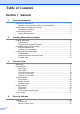
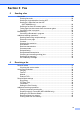
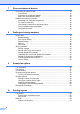
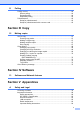
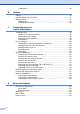
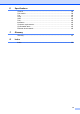
Table Of Contents
- USER'S GUIDE MFC-8460N/MFC-8860DN
- Approval Information and Compilation and Publication Notice
- Table of Contents
- General
- Fax
- Copy
- Software
- Appendices
- lndex

vi
Trademarks .................................................................................................. 85
B Options
Options ............................................................................................................... 86
Optional Paper Tray (LT-5300)........................................................................... 87
Memory Board .................................................................................................... 87
DIMM types .................................................................................................. 87
Installing extra memory ................................................................................ 88
C Troubleshooting and
routine maintenance
Troubleshooting .................................................................................................. 89
Solutions to common problems .................................................................... 89
Improving the print quality ............................................................................ 95
Setting Dial Tone detection .......................................................................... 99
Compatibility ................................................................................................. 99
Error messages ................................................................................................ 100
Checking if the machine has faxes in its memory ...................................... 104
Sending faxes to another fax machine ....................................................... 104
Sending faxes to your PC........................................................................... 104
Document jams........................................................................................... 105
Paper jams ................................................................................................. 106
Routine maintenance........................................................................................ 110
Cleaning the outside of the machine .......................................................... 110
Cleaning the scanner glass ........................................................................ 112
Cleaning the laser scanner window............................................................ 112
Cleaning the corona wire............................................................................ 114
Cleaning the drum unit ............................................................................... 114
Replacing the toner cartridge (TN-3135/TN-3175) ..................................... 115
Replacing the toner cartridge ..................................................................... 116
Replacing the drum unit (DR-3150)............................................................ 118
Replacing periodic maintenance parts.............................................................. 120
Packing and shipping the machine ................................................................... 121
Machine Information ......................................................................................... 122
Checking the serial number ........................................................................ 122
Checking the page counters....................................................................... 122
Checking the remaining life of parts ........................................................... 122
D Menu and Features
On screen programming ................................................................................... 123
Menu table.................................................................................................. 123
Memory storage.......................................................................................... 123
Menu keys ........................................................................................................ 123
Menu Table....................................................................................................... 125
Entering Text .................................................................................................... 136