
User Manual
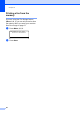
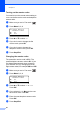

Table Of Contents
- USER'S GUIDE MFC-8460N/MFC-8860DN
- Approval Information and Compilation and Publication Notice
- Table of Contents
- General
- Fax
- Copy
- Software
- Appendices
- lndex

Chapter 8
51
MFC-8860DN: 8
a Press Menu, 2, 3, 1.
23.Set Quick-Dial
1.One-Touch Dial
One-Touch:
Select One-Touch
b Press the One-Touch key where you
want to store a number.
c Press a or b to select Fax/Tel,
E-Mail or IFAX. Press OK.
d Choose one of the options below:
Enter the number (up to 20
characters) if you selected Fax/Tel.
Press OK.
Enter the E-mail address (up to 60
characters) if you selected E-Mail
or IFAX. Use the chart Entering Text
on page 136 to help you enter letters.
Press OK.
Note
If you selected E-Mail and save the
E-mail address, you can only use the
E-mail address when you are in Scan
mode. If you selected IFAX and save the
E-mail address, you can only use E-mail
address when you are in Fax mode.
e Choose one of the options below:
Enter the name using the dial pad
(up to 15 characters). Press OK.
Press OK to store the number or
E-mail address without a name.
f Choose one of the options below:
If you selected Fax/Tel at c, press
a or b to select Std, Fine, S.Fine
or Photo. Press OK and then go to
h.
If you selected E-Mail at c,
press a or b to select B/W
200x100dpi,B/W200dpi,
Color150dpi, Color300dpi, or
Color600dpi. Press OK and
then go to g.
If you selected IFAX at c, press a
or b to select Std, Fine or Photo.
Press OK and then go to h.
Press OK if you don’t want to change
the default resolution. Go to h.
g Choose one of the options below:
If you selected Black & White at f,
select the file format (TIFF or PDF) that
will be used to send to your PC.
If you selected Colour at f, select the
file format (PDF or JPEG) that will be
used to send your PC.
h Choose one of the options below:
To store another One-Touch number
go to b.
To finish storing One-Touch
numbers press Stop/Exit.
Note
• When you do a broadcast and you have
saved a scan profile along with the
number or E-mail address, the scan profile
of the One-Touch, Speed-Dial or Group
number your chose first will be applied to
the broadcast.
• When you create a group or broadcast
using Scan to E-mail only B/W200x100
and B/W200dpi are available.The file
format can be TIFF or PDF.