
User Manual
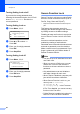
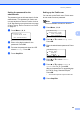
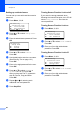
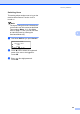
Table Of Contents
- USER'S GUIDE MFC-8460N/MFC-8860DN
- Approval Information and Compilation and Publication Notice
- Table of Contents
- General
- Fax
- Copy
- Software
- Appendices
- lndex

28
5
5
How to fax 5
Entering fax mode 5
To enter fax mode press (Fax), and the
key will glow blue.
Sending a single-sided fax
from the ADF 5
Using the ADF to send your faxes is the
easiest way. To cancel a fax in progress
press Stop/Exit.
a Make sure you are in Fax mode .
b Put your document face up in the ADF.
c Dial the fax number. See How to Dial on
page 48.
d Press Start.
The machine will now scan and send your
document.
Sending a 2-sided fax from
the ADF
(MFC-8860DN only) 5
You can send a 2-sided document from the
ADF. To cancel a fax in progress press
Stop/Exit.
a Make sure you are in Fax mode .
b Put your document in the ADF.
c Press Duplex.
d Dial the fax number. See How to Dial on
page 48.
e Press Start.
The machine will now scan and send your
document.
Note
Legal size 2-sided documents cannot be
faxed from the ADF.
Sending a fax 5