User Manual
Manuals
Brands
Brother Manuals
All in One Printer
MFC-8860DN
31
32
33
34
35
36
37
38
39
40
Table Of Contents
USER'S GUIDE MFC-8460N/MFC-8860DN
Approval Information and Compilation and Publication Notice
APPROVAL INFORMATION
Compilation and Publication Notice
Table of Contents
General
1 General information
Using the documentation
Symbols and conventions used in the documentation
Accessing the complete User’s Guide
Viewing documentation
Control panel overview
Status LED indications
2 Loading documents and paper
Loading documents
Using the ADF
Using the scanner glass (Flatbed)
Acceptable paper and other media
Recommended media
Handling and using media
Loading paper and other media
Loading paper
Loading envelopes and other media
Printable Area
3 General setup
Mode timer
Paper settings
Paper Type
Paper Size
Tray use in Copy mode
Tray use in Fax mode
Tray use in Print mode
Volume Settings
Ring volume
Beeper volume
Speaker volume
Ecology features
Toner save
Sleep time
Turning off the scanner lamp
LCD Contrast
4 Security features
Security
Setting Lock
Secure Function Lock
Fax
5 Sending a fax
How to fax
Entering fax mode
Sending a single-sided fax from the ADF
Sending a 2-sided fax from the ADF (MFC-8860DN only)
Sending a fax from the scanner glass
Faxing legal size documents from the scanner glass
Cancelling a fax in progress
Broadcasting
Cancelling a Broadcast in progress
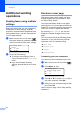
Additional sending operations
Sending faxes using multiple settings
Electronic cover page
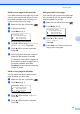
Contrast
Changing fax resolution
Dual access
Real time transmission
Overseas mode
Delayed faxing
Delayed batch transmission
Checking and cancelling waiting jobs
Sending a fax manually
Out of Memory message
6 Receiving a fax
Receive modes
Choosing the receive mode
Using Receive Modes
Fax only
Fax/Tel
Manual
External TAD
Receive Mode settings
Ring Delay
F/T Ring Time
Fax Detect
Setting the Print Density
Additional receiving operations
Printing a reduced incoming fax
Duplex printing for Fax mode (MFC-8860DN only)
Setting the Fax Receive Stamp
Receiving faxes into memory
Printing a fax from the memory
7 Phone and external devices
Connecting an external TAD
Connections
Recording an outgoing message
Multi-Line connections (PABX)
External and extension phones
Operation from extension telephones
For Fax/Tel mode only
Connecting an external or extension phone
Using a cordless external handset
Using remote codes
8 Dialling and storing numbers
How to Dial
Manual dialling
One-Touch dialling
Speed-Dialling
Search
Fax redial
Storing numbers
Storing a pause
Storing One-Touch dial numbers
Storing Speed-Dial numbers
Changing One-Touch and Speed-Dial numbers
Setting up Groups for broadcasting
Combining Quick-Dial numbers
Tone or Pulse
9 Remote fax options
Fax forwarding
Fax storage
PC fax receive
Changing remote fax options
Turning off remote fax options
Remote retrieval
Setting a remote access code
Using your remote access code
Retrieving fax messages
Changing the fax forwarding number
Remote fax commands
10 Printing reports
Fax reports
Transmission verification report
Fax journal
Reports
How to print a report
11 Polling
Polling receive
Secure polling
Delayed polling
Sequential polling
Polled transmit
Setup for polled transmit
Setup for polled transmit with a secure code
Copy
12 Making copies
How to copy
Entering copy mode
Making a single copy
Making multiple copies
Stop copying
Copy options
Changing copy quality
Changing text copy resolution
Enlarging or reducing the image copied
Making N in 1 copies or a poster
Duplex (2-sided) copying (MFC-8860DN only)
Sorting copies using the ADF
Adjusting contrast
Tray Select
Out of Memory message
Software
13 Software and Network features
Appendices
Safety and Legal
Choosing a location
Important Information
Safety precautions
IEC 60825-1 Specification
Disconnect device
LAN connection
Radio interference
Important Safety Instructions
Trademarks
Options
Options
Optional Paper Tray (LT-5300)
Memory Board
DIMM types
Installing extra memory
Troubleshooting and routine maintenance
Troubleshooting
Solutions to common problems
Improving the print quality
Setting Dial Tone detection
Compatibility
Error messages
Checking if the machine has faxes in its memory
Sending faxes to another fax machine
Sending faxes to your PC
Document jams
Paper jams
Routine maintenance
Cleaning the outside of the machine
Cleaning the scanner glass
Cleaning the laser scanner window
Cleaning the corona wire
Cleaning the drum unit
Replacing the toner cartridge (TN-3135/TN-3175)
Replacing the toner cartridge
Replacing the drum unit (DR-3150)
Replacing periodic maintenance parts
Packing and shipping the machine
Machine Information
Checking the serial number
Checking the page counters
Checking the remaining life of parts
Menu and Features
On screen programming
Menu table
Memory storage
Menu keys
Menu Table
Entering Text
Specifications
General
Print media
Fax
Copy
Scan
Print
Interfaces
Computer requirements
Consumable items
Ethernet wired network
Glossary
lndex
Section II
Fax
II
Sending a fax
28
Receiving a fax
37
Phone and external devices
44
Dialling and storing numbers
48
Remote fax options
56
Printing reports
62
Polling
64
1
...
...
33
34
35
36
37
...
...
161