
User Manual
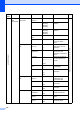
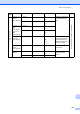
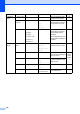
Table Of Contents
- USER'S GUIDE MFC-8460N/MFC-8860DN
- Approval Information and Compilation and Publication Notice
- Table of Contents
- General
- Fax
- Copy
- Software
- Appendices
- lndex

Menu and Features
134
D
6.LAN (Continued)
4.Scan to
Email
(MFC-8860DN)
1.Color PDF*
JPEG
Chooses the file format
to send the scanned
data.
See Network User’s Guide on the CD-ROM.
2.B/W PDF*
TIFF
3.Scan to
FTP
(MFC-8460N)
5.Scan to
FTP
(MFC-8860DN)
1.Color PDF*
JPEG
2.B/W PDF*
TIFF
6.Fax to
Server
(MFC-8860DN)
— On
Off*
Prefix
Suffix
You can store a
prefix/suffix address in
the machine and can
send a document from a
fax server system.
7.Time
Zone
(MFC-8860DN)
— UTC-XXX:XX Sets the time zone for
your country.
0.Factory
Reset
1.Reset 1.Yes
2.No
Restore all network
settings to factory
default.
2.Exit —
Main
Menu
Submenu Menu Selections Options Descriptions Page