
User Manual
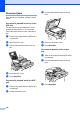
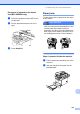
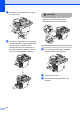
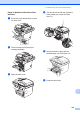
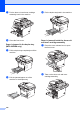
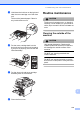
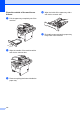

Table Of Contents
- USER'S GUIDE MFC-8460N/MFC-8860DN
- Approval Information and Compilation and Publication Notice
- Table of Contents
- General
- Fax
- Copy
- Software
- Appendices
- lndex

111
Clean the outside of the machine as
follows:
C
a Pull the paper tray completely out of the
machine.
b Wipe the outside of the machine with a
soft cloth to remove dust.
c Remove anything that is stuck inside the
paper tray.
d Wipe the inside of the paper tray with a
soft cloth to remove dust.
e Re-load the paper and put the paper tray
firmly back in the machine.