
User Manual
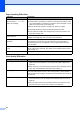
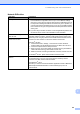
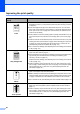
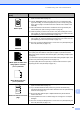
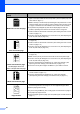
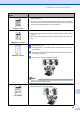
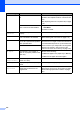
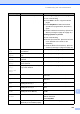
Table Of Contents
- USER'S GUIDE MFC-8460N/MFC-8860DN
- Approval Information and Compilation and Publication Notice
- Table of Contents
- General
- Fax
- Copy
- Software
- Appendices
- lndex

Troubleshooting and routine maintenance
98
C
Curled or wave
Check the paper type and quality. High temperatures and high humidity will
cause paper to curl.
If you do not use the machine often, the paper may have been in the paper
tray too long. Turn over the stack of paper in the paper tray. Also, fan the paper
stack and then rotate the paper 180° in the paper tray.
Wrinkles or creases
Make sure that paper is loaded properly.
Check the paper type and quality. (See Acceptable paper and other media on
page 11.)
Turn over the stack of paper in the tray or rotate the paper 180° in the input
tray.
Envelope creases
a Open the back cover.
b Press against the "1" on the blue levers on either side of the machine as
shown below.
c As the top of the lever rotates backward lift the bottom portion of the lever
from below until it stops.
d Close the back cover and resend the print job.
Note
When you have finished printing,open the back cover and reset the two blue
levers back to their original position.
Poor fixing
Open the back cover and make sure that the two blue levers on the left and
right hand sides are in the down position.
Examples of poor print
quality
Recommendation
B DEFGH
abc efghijk
ACD
bcde
134
ABCDEFG
EFGHIJKLMN
ABCDEFGH
abcdefghijk
ABCD
abcde
01234