
User Manual
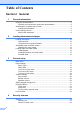


Table Of Contents
- USER’S GUIDE MFC-8460N/MFC-8860DN
- Approval Information and Compilation and Publication Notice
- Table of Contents
- Section I: General
- General information
- Using the documentation
- Accessing the complete User’s Guide
- Viewing documentation
- Viewing documentation (Windows®)
- How to find Scanning instructions
- Software User's Guide:
- PaperPort® User's Guide:
- How to find Internet FAX instructions (MFC-8860DN only)
- Viewing Documentation (Macintosh®)
- How to find Scanning instructions
- Software User's Guide:
- Presto!® PageManager® User's Guide:
- How to find Internet FAX instructions (MFC-8860DN only)
- Viewing documentation
- Control panel overview
- Loading documents and paper
- General setup
- Security features
- General information
- Section II: Fax
- Sending a fax
- How to fax
- Broadcasting
- Additional sending operations
- Receiving a fax
- Phone and external devices
- Phone line services
- Telephone Service for Australia
- Telephone Service for New Zealand
- Telephone Service for Some Countries
- Connecting an external TAD
- External and extension phones
- Dialling and storing numbers
- Remote fax options
- Printing reports
- Polling
- Sending a fax
- Section III: Copy
- Section IV: Software
- Section V: Appendices
- A Safety and Legal
- B Options
- C Troubleshooting and routine maintenance
- D Menu and Features
- E Specifications E
- F Glossary
- Index
- brother ARL/ASA/NZ

vi
Section IV Software
13 Software and Network features
Software and Network features ...........................................................................88
Section V Appendices
A Safety and Legal
Choosing a location .............................................................................................90
Important Information...........................................................................................91
Safety precautions.........................................................................................91
IEC 60825-1 Specification .............................................................................94
Disconnect device .........................................................................................94
LAN connection .............................................................................................94
Radio interference .........................................................................................94
Important Information for Australia ......................................................................95
IMPORTANT-For Your Safety .......................................................................95
Important safety instructions..........................................................................95
Important Information for New Zealand ...............................................................97
Important Safety Instructions.........................................................................97
IMPORTANT-For Your Safety .......................................................................99
IMPORTANT NOTICE...................................................................................99
Important Information for Some Countries.........................................................100
Important Safety Instructions.......................................................................100
Trademarks .................................................................................................102
B Options
Optional Paper Tray (LT-5300)..........................................................................103
Memory Board ...................................................................................................103
DIMM types .................................................................................................103
Installing extra memory ...............................................................................104
C Troubleshooting and routine maintenance
Troubleshooting .................................................................................................105
Solutions to common problems ...................................................................105
Improving the print quality ...........................................................................111
Setting Dial Tone detection .........................................................................116
Compatibility ................................................................................................116
Error messages .................................................................................................117
Checking if the machine has faxes in its memory .......................................121
Sending faxes to another fax machine ........................................................121
Sending faxes to your PC............................................................................121
Document jams............................................................................................122
Paper jams ..................................................................................................123