
User Manual
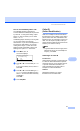
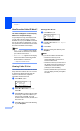
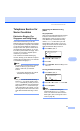
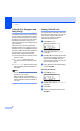

Table Of Contents
- USER’S GUIDE MFC-8460N/MFC-8860DN
- Approval Information and Compilation and Publication Notice
- Table of Contents
- Section I: General
- General information
- Using the documentation
- Accessing the complete User’s Guide
- Viewing documentation
- Viewing documentation (Windows®)
- How to find Scanning instructions
- Software User's Guide:
- PaperPort® User's Guide:
- How to find Internet FAX instructions (MFC-8860DN only)
- Viewing Documentation (Macintosh®)
- How to find Scanning instructions
- Software User's Guide:
- Presto!® PageManager® User's Guide:
- How to find Internet FAX instructions (MFC-8860DN only)
- Viewing documentation
- Control panel overview
- Loading documents and paper
- General setup
- Security features
- General information
- Section II: Fax
- Sending a fax
- How to fax
- Broadcasting
- Additional sending operations
- Receiving a fax
- Phone and external devices
- Phone line services
- Telephone Service for Australia
- Telephone Service for New Zealand
- Telephone Service for Some Countries
- Connecting an external TAD
- External and extension phones
- Dialling and storing numbers
- Remote fax options
- Printing reports
- Polling
- Sending a fax
- Section III: Copy
- Section IV: Software
- Section V: Appendices
- A Safety and Legal
- B Options
- C Troubleshooting and routine maintenance
- D Menu and Features
- E Specifications E
- F Glossary
- Index
- brother ARL/ASA/NZ

Chapter 7
58
Turning on the remote codes 7
You need to turn the Remote Codes setting to
on to use the Fax Receive Code and
Telephone Answer Code.
a Make sure you are in Fax mode .
b Press Menu 2, 1, 4.
21.Setup Receive
4.Remote Codes
a On
b Off
Select ab & OK
c Press a or b to select On.
d If you don’t want to change the Fax
Receive Code, Press OK.
e If you don’t want to change the
Telephone Answer Code, Press OK.
f Press Stop/Exit.
Changing the remote codes 7
The preset fax receive code is l51 (l91 for
New Zealand). The preset telephone answer
code is #51 (#91 for New Zealand). If you are
always disconnected when accessing your
external TAD, try changing the three digit
remote codes, for example ### and 555.
a Make sure you are in Fax mode .
b Press Menu 2, 1, 4.
21.Setup Receive
4.Remote Codes
a On
b Off
Select ab & OK
c Press a or b to select On or Off.
Press OK.
d If you selected On in c, enter the new
fax receive code. Press OK.
e Enter the new telephone answer code.
Press OK.
f Press Stop/Exit.