
User Manual
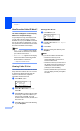
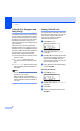
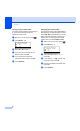

Table Of Contents
- USER’S GUIDE MFC-8460N/MFC-8860DN
- Approval Information and Compilation and Publication Notice
- Table of Contents
- Section I: General
- General information
- Using the documentation
- Accessing the complete User’s Guide
- Viewing documentation
- Viewing documentation (Windows®)
- How to find Scanning instructions
- Software User's Guide:
- PaperPort® User's Guide:
- How to find Internet FAX instructions (MFC-8860DN only)
- Viewing Documentation (Macintosh®)
- How to find Scanning instructions
- Software User's Guide:
- Presto!® PageManager® User's Guide:
- How to find Internet FAX instructions (MFC-8860DN only)
- Viewing documentation
- Control panel overview
- Loading documents and paper
- General setup
- Security features
- General information
- Section II: Fax
- Sending a fax
- How to fax
- Broadcasting
- Additional sending operations
- Receiving a fax
- Phone and external devices
- Phone line services
- Telephone Service for Australia
- Telephone Service for New Zealand
- Telephone Service for Some Countries
- Connecting an external TAD
- External and extension phones
- Dialling and storing numbers
- Remote fax options
- Printing reports
- Polling
- Sending a fax
- Section III: Copy
- Section IV: Software
- Section V: Appendices
- A Safety and Legal
- B Options
- C Troubleshooting and routine maintenance
- D Menu and Features
- E Specifications E
- F Glossary
- Index
- brother ARL/ASA/NZ

Chapter 7
54
Caller ID (For Singapore and
Hong Kong) 7
The Caller ID feature of this machine lets you
use the Caller ID subscriber service offered
by many local phone companies. This service
provides you, by means of the screen display,
the telephone number (or name) of your
caller as the line rings. (See Printing Caller ID
List on page 54.)
After a few rings, the screen displays the
telephone number of your caller (or name, if
available). Once you press Hook and answer
the call, the Caller ID information disappears
from the screen, but the call information
remains stored in the Caller ID memory.
You will see the first 16 characters of the
number or name.
Out of Area display means call
originates outside your Caller ID service
area.
Private Call display means the caller
has intentionally blocked transmission of
information.
Note
You can print a list of Caller ID information
received by your machine.
Caller ID service varies with different
carriers. Call your local phone company to
determine the kind of service available in
your area.
Viewing Caller ID List
Your machine stores information for the last
thirty calls in the Caller ID list. You can view
or print this list. When the thirty-first call
comes in to the machine, it replaces
information about the first call.
a Press Menu, 2, 0, 3.
20.Miscellaneous
3.Caller ID
a Display#
b Print Report
Select ab & OK
b Press a or b to select Display#.
Press OK.
c Press a or b to scroll through the Caller
ID memory to select the Caller ID you
want to view. Press OK. The LCD
shows the caller’s name or number, the
date, and time of the call.
d Press d to return to the Caller ID listing,
or press Stop/Exit.
Printing Caller ID List 7
a Press Menu, 2, 0, 3.
20.Miscellaneous
3.Caller ID
a Display#
b Print Report
Select ab & OK
b Press a or b to select Print Report.
Press OK.
c Press Start.
d When the printing has finished, press
Stop/Exit.