
User Manual


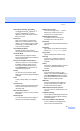

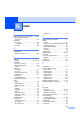
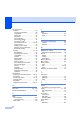
Table Of Contents
- USER’S GUIDE MFC-8460N/MFC-8860DN
- Approval Information and Compilation and Publication Notice
- Table of Contents
- Section I: General
- General information
- Using the documentation
- Accessing the complete User’s Guide
- Viewing documentation
- Viewing documentation (Windows®)
- How to find Scanning instructions
- Software User's Guide:
- PaperPort® User's Guide:
- How to find Internet FAX instructions (MFC-8860DN only)
- Viewing Documentation (Macintosh®)
- How to find Scanning instructions
- Software User's Guide:
- Presto!® PageManager® User's Guide:
- How to find Internet FAX instructions (MFC-8860DN only)
- Viewing documentation
- Control panel overview
- Loading documents and paper
- General setup
- Security features
- General information
- Section II: Fax
- Sending a fax
- How to fax
- Broadcasting
- Additional sending operations
- Receiving a fax
- Phone and external devices
- Phone line services
- Telephone Service for Australia
- Telephone Service for New Zealand
- Telephone Service for Some Countries
- Connecting an external TAD
- External and extension phones
- Dialling and storing numbers
- Remote fax options
- Printing reports
- Polling
- Sending a fax
- Section III: Copy
- Section IV: Software
- Section V: Appendices
- A Safety and Legal
- B Options
- C Troubleshooting and routine maintenance
- D Menu and Features
- E Specifications E
- F Glossary
- Index
- brother ARL/ASA/NZ

Index
169
G
A
ADF (automatic document feeder) .... 10, 30
Answering machine (TAD)
connecting
............................................55
Automatic
fax receive
............................................40
Fax Detect
.........................................42
fax redial
...............................................60
B
Broadcasting
setting up Groups for
............................65
C
Caller ID
print list
.................................... 49, 52, 54
Cancelling
fax jobs in memory
................................38
jobs awaiting redial
...............................38
Paging
...................................................72
Cleaning
corona wire
.........................................131
drum unit
.............................................131
laser scanner window
.........................129
scanner glass
......................................129
Connecting
external telephone
................................56
Control panel overview
..............................2
Copy
duplex
...................................................83
Enlarge/Reduce
....................................80
enter Copy mode
..................................78
keys
......................................................79
multiple
.................................................78
Quality key
............................................79
single
....................................................78
Sort (ADF only)
.....................................85
temporary settings
................................79
using ADF
.............................................78
Cordless phone
........................................57
Cover page
custom comments
.................................33
for all faxes
...........................................34
for next fax only
....................................34
printed form
.......................................... 34
D
Delayed Batch Transmission ................... 37
Dialling
a pause
................................................ 61
access codes and credit card numbers
66
automatic fax redial
.............................. 60
Groups (Broadcasting)
......................... 32
manual
................................................. 59
One-Touch
........................................... 59
Speed-Dial
........................................... 59
Distinctive Ring
.................................. 48, 53
Drum unit
checking (remaining life)
.................... 139
cleaning
.............................................. 131
replacing
............................................. 135
Dual Access
............................................ 36
E
Equalization ........................................... 116
Error messages on LCD
Comm. Error
....................................... 117
No Paper Fed
..................................... 118
Not Registered
..................................... 59
Out of Memory
................................... 119
Unable to Init.
..................................... 120
Unable to Print
................................... 120
Unable to Scan
................................... 120
Extension telephone, using
............... 56, 57
External telephone, connecting
............... 56
F
Fax codes
changing
......................................... 58, 70
Fax Receive Code
.......................... 56, 57
Remote Access Code
.......................... 70
Telephone Answer Code
................ 56, 57
Fax Forwarding
changing remotely
.......................... 71, 72
programming a number
........................ 67
Fax Storage
............................................. 68
printing from memory
........................... 45
turning off
............................................. 69