
Quick Start Manual





47
A
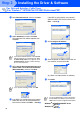
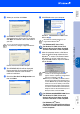
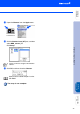
Open the Chooser from the Apple menu.
B
Click the Brother Laser (AT) icon, and then
select BRN_xxxxxx_P1.
Click Setup.
C
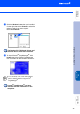
Click OK, and then close the Chooser.
The setup is now complete.
xxxxxx are the last six digits of the Ethernet
address.
Network User's Guide Chapter 7 on the
CD-ROM.
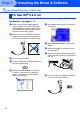
Installing the Driver & Software
Setting Up
the Machine
For
Administrators
Macintosh
®
Network