
User Guide


Table Of Contents
- USER’S GUIDE MFC-8480DN/MFC-8680DN/MFC-8690DW/MFC-8890DW
- Brother numbers
- Ordering accessories and supplies
- Notice - Disclaimer of Warranties (USA and Canada)
- Compilation and Publication Notice
- Brother™ One-Year Limited Warranty and Replacement Service (USA Only)
- BROTHER MULTIFUNCTION CENTER / FAX MACHINELIMITED WARRANTY (Canada only)
- Table of Contents
- Section I: General
- 1 General information
- Using the documentation
- Accessing the Software User’s Guide and Network User’s Guide
- Viewing documentation
- Viewing documentation (Windows®)
- How to find scanning instructions
- Software User’s Guide:
- ScanSoft™ PaperPort™ 11SE with OCR How-to-Guides:
- How to find Network setup instructions (MFC-8690DW and MFC-8890DW)
- Viewing documentation (Macintosh)
- How to find scanning instructions
- Software User’s Guide:
- Presto! PageManager User’s Guide:
- How to find Network setup instructions (MFC-8690DW and MFC-8890DW)
- Viewing documentation
- Accessing Brother support (Windows®)
- Control panel overview
- 2 Loading paper and documents
- 3 General Setup
- 4 Security features
- 1 General information
- Section II: Fax
- 5 Sending a fax
- How to fax
- Broadcasting
- Additional sending operations
- 6 Receiving a fax
- 7 Telephone services and external devices
- 8 Dialing and storing numbers
- 9 Remote Fax Options
- 10 Polling
- 11 Printing reports
- 5 Sending a fax
- Section III: Copy
- Section IV:Direct printing
- Section V:Software
- Section VI: Appendixes
- A Safety and legal
- B Options
- C Troubleshooting and routine maintenance
- D Menu and features
- E Specifications
- F Glossary
- Index
- brother USA/CAN
Chapter 2
18
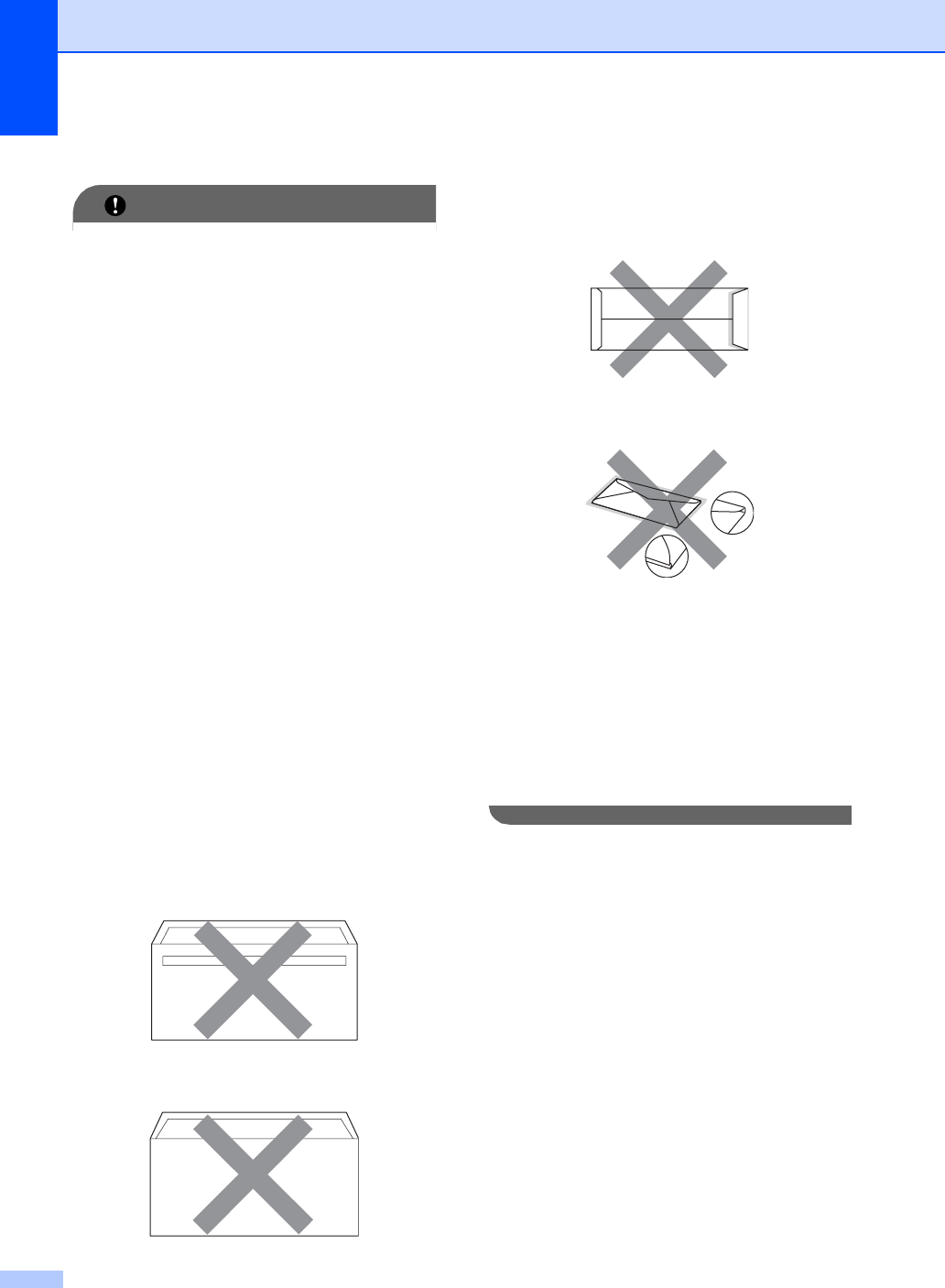
Types of envelopes to avoid 2
IMPORTANT
DO NOT use envelopes:
• that are damaged, curled, wrinkled or
an unusual shape
• that are extremely shiny or textured
• with clasps, staples, snaps or tie
strings
• with self-adhesive closures
• that are of a baggy construction
• that are not sharply creased
• that are embossed (have raised writing
on them)
• that were previously printed by a laser
machine
• that are pre-printed on the inside
• that cannot be arranged neatly when
stacked
• that are made of paper that weighs
more than the paper weight
specifications for the machine
• with edges that are not straight or
consistently square
• with windows, holes, cut-outs or
perforations
• with glue on surface as shown in figure
below
• with double flaps as shown in figure
below
• with sealing flaps that have not been
folded at purchase
• with sealing flaps as shown in figure
below
• with each side folded as shown in
figure below
If you use any of the types of envelopes
listed above, they may damage your
machine. This damage is not covered
under any Brother warranty or service
agreement.
Occasionally you may experience paper
feed problems caused by the thickness,
size and flap shape of the envelopes you
are using.