
User Guide


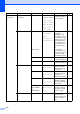


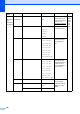
Table Of Contents
- USER’S GUIDE MFC-8480DN/MFC-8680DN/MFC-8690DW/MFC-8890DW
- Brother numbers
- Ordering accessories and supplies
- Notice - Disclaimer of Warranties (USA and Canada)
- Compilation and Publication Notice
- Brother™ One-Year Limited Warranty and Replacement Service (USA Only)
- BROTHER MULTIFUNCTION CENTER / FAX MACHINELIMITED WARRANTY (Canada only)
- Table of Contents
- Section I: General
- 1 General information
- Using the documentation
- Accessing the Software User’s Guide and Network User’s Guide
- Viewing documentation
- Viewing documentation (Windows®)
- How to find scanning instructions
- Software User’s Guide:
- ScanSoft™ PaperPort™ 11SE with OCR How-to-Guides:
- How to find Network setup instructions (MFC-8690DW and MFC-8890DW)
- Viewing documentation (Macintosh)
- How to find scanning instructions
- Software User’s Guide:
- Presto! PageManager User’s Guide:
- How to find Network setup instructions (MFC-8690DW and MFC-8890DW)
- Viewing documentation
- Accessing Brother support (Windows®)
- Control panel overview
- 2 Loading paper and documents
- 3 General Setup
- 4 Security features
- 1 General information
- Section II: Fax
- 5 Sending a fax
- How to fax
- Broadcasting
- Additional sending operations
- 6 Receiving a fax
- 7 Telephone services and external devices
- 8 Dialing and storing numbers
- 9 Remote Fax Options
- 10 Polling
- 11 Printing reports
- 5 Sending a fax
- Section III: Copy
- Section IV:Direct printing
- Section V:Software
- Section VI: Appendixes
- A Safety and legal
- B Options
- C Troubleshooting and routine maintenance
- D Menu and features
- E Specifications
- F Glossary
- Index
- brother USA/CAN

180
4.Printer 1.Emulation — Auto(EPSON)*
Auto(IBM)
HP LaserJet
BR-Script 3
Epson FX-850
IBM Proprinter
Chooses the
emulation mode.
See
Software
User’s
Guide
on
the
CD-ROM.
2.Print Options
1.Internal Font
1.HP LaserJet
2.BR-Script 3
Prints a list of the
machine’s internal
fonts.
2.Configuration
— Prints a list of the
machine’s printer
settings.
3.Test Print — Prints a test page.
3.Duplex — Off*
On(Long Edge)
On(Short Edge)
Enables or disables
duplex printing. You
can also choose long
edge or short edge
duplex printing.
4.Reset Printer — 1.Reset
2.Exit
Restores the printer
settings to the original
factory default
settings.
5.USB Direct I/F
1.Direct Print 1.Paper Size A4
Letter*
Legal
Executive
A5
A5 L
A6
B5
B6
Folio
Sets the paper size
when printing directly
from the USB flash
memory drive.
A5 L and A6 size are
not available for the
optional Tray #2.
95
2.Media Type Thin
Plain*
Thick
Thicker
Recycled Paper
Sets the media type
when printing directly
from the USB flash
memory drive.
95
Main Menu Submenu Menu Selections Options Descriptions Page