
User Guide


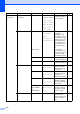


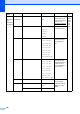
Table Of Contents
- USER’S GUIDE MFC-8480DN/MFC-8680DN/MFC-8690DW/MFC-8890DW
- Brother numbers
- Ordering accessories and supplies
- Notice - Disclaimer of Warranties (USA and Canada)
- Compilation and Publication Notice
- Brother™ One-Year Limited Warranty and Replacement Service (USA Only)
- BROTHER MULTIFUNCTION CENTER / FAX MACHINELIMITED WARRANTY (Canada only)
- Table of Contents
- Section I: General
- 1 General information
- Using the documentation
- Accessing the Software User’s Guide and Network User’s Guide
- Viewing documentation
- Viewing documentation (Windows®)
- How to find scanning instructions
- Software User’s Guide:
- ScanSoft™ PaperPort™ 11SE with OCR How-to-Guides:
- How to find Network setup instructions (MFC-8690DW and MFC-8890DW)
- Viewing documentation (Macintosh)
- How to find scanning instructions
- Software User’s Guide:
- Presto! PageManager User’s Guide:
- How to find Network setup instructions (MFC-8690DW and MFC-8890DW)
- Viewing documentation
- Accessing Brother support (Windows®)
- Control panel overview
- 2 Loading paper and documents
- 3 General Setup
- 4 Security features
- 1 General information
- Section II: Fax
- 5 Sending a fax
- How to fax
- Broadcasting
- Additional sending operations
- 6 Receiving a fax
- 7 Telephone services and external devices
- 8 Dialing and storing numbers
- 9 Remote Fax Options
- 10 Polling
- 11 Printing reports
- 5 Sending a fax
- Section III: Copy
- Section IV:Direct printing
- Section V:Software
- Section VI: Appendixes
- A Safety and legal
- B Options
- C Troubleshooting and routine maintenance
- D Menu and features
- E Specifications
- F Glossary
- Index
- brother USA/CAN

176
Main Menu Submenu Menu Selections Options Descriptions Page
2.Fax 1.Setup Receive
(In Fax mode only)
1.Ring Delay 00
01
02
03
04*
Sets the number of
rings before the
machine answers in
Fax Only or Fax/Tel
mode.
50
2.F/T Ring Time
20Secs*
30Secs
40Secs
70Secs
Sets the
pseudo/double-ring
time in Fax/Tel mode.
50
3.Easy Receive
On*
Off
Receives fax
messages without
pressing Start.
51
4.Remote Codes
On* (l51, #51)
Off
Allows you to answer
all calls at an
extension or external
telephone and use
codes to turn the
machine on or off.
You can personalize
these codes.
61
5.Auto Reduction
On*
Off
Cuts the size of
incoming faxes.
52
6.Print Density
-nnnno+
-nnnon+
-nnonn+*
-nonnn+
-onnnn+
Makes printouts
darker or lighter.
51
7.Polling RX — Sets up your machine
to poll another fax
machine.
78
8.Fax Rx Stamp
On
Off*
Prints the received
time and date on the
top of the received
faxes.
53
9.Duplex On
Off*
Prints receive faxes
on both sides of the
paper.
52
2.Setup Send 1.Contrast Auto*
Light
Dark
Changes the
lightness or darkness
of faxes you send.
44
2.Fax Resolution
Standard*
Fine
S.Fine
Photo
Sets the default
resolution for
outgoing faxes.
44