
User Guide




Table Of Contents
- USER’S GUIDE MFC-8480DN/MFC-8680DN/MFC-8690DW/MFC-8890DW
- Brother numbers
- Ordering accessories and supplies
- Notice - Disclaimer of Warranties (USA and Canada)
- Compilation and Publication Notice
- Brother™ One-Year Limited Warranty and Replacement Service (USA Only)
- BROTHER MULTIFUNCTION CENTER / FAX MACHINELIMITED WARRANTY (Canada only)
- Table of Contents
- Section I: General
- 1 General information
- Using the documentation
- Accessing the Software User’s Guide and Network User’s Guide
- Viewing documentation
- Viewing documentation (Windows®)
- How to find scanning instructions
- Software User’s Guide:
- ScanSoft™ PaperPort™ 11SE with OCR How-to-Guides:
- How to find Network setup instructions (MFC-8690DW and MFC-8890DW)
- Viewing documentation (Macintosh)
- How to find scanning instructions
- Software User’s Guide:
- Presto! PageManager User’s Guide:
- How to find Network setup instructions (MFC-8690DW and MFC-8890DW)
- Viewing documentation
- Accessing Brother support (Windows®)
- Control panel overview
- 2 Loading paper and documents
- 3 General Setup
- 4 Security features
- 1 General information
- Section II: Fax
- 5 Sending a fax
- How to fax
- Broadcasting
- Additional sending operations
- 6 Receiving a fax
- 7 Telephone services and external devices
- 8 Dialing and storing numbers
- 9 Remote Fax Options
- 10 Polling
- 11 Printing reports
- 5 Sending a fax
- Section III: Copy
- Section IV:Direct printing
- Section V:Software
- Section VI: Appendixes
- A Safety and legal
- B Options
- C Troubleshooting and routine maintenance
- D Menu and features
- E Specifications
- F Glossary
- Index
- brother USA/CAN
General information
3
1
Accessing the
Software User’s Guide
and Network User’s
Guide
1
This User’s Guide does not contain all the
information about the machine such as how
to use the advanced features of Fax, Printer,
Scanner, PC Fax and Network. When you are
ready to learn detailed information about
these operations, read the
Software User’s Guide and
Network User’s Guide.
Viewing documentation 1
Viewing documentation (Windows
®
) 1
To view the documentation, from the Start
menu, point to Brother, MFC-XXXX (where
XXXX is your model name) from the program
group, and then click
User’s Guides in HTML format.
If you have not installed the software, you can
find the documentation by following the
instructions below:
a Turn on your PC.
Insert the Brother CD-ROM into your
CD-ROM drive.
b If the language selection screen
appears, click your language.
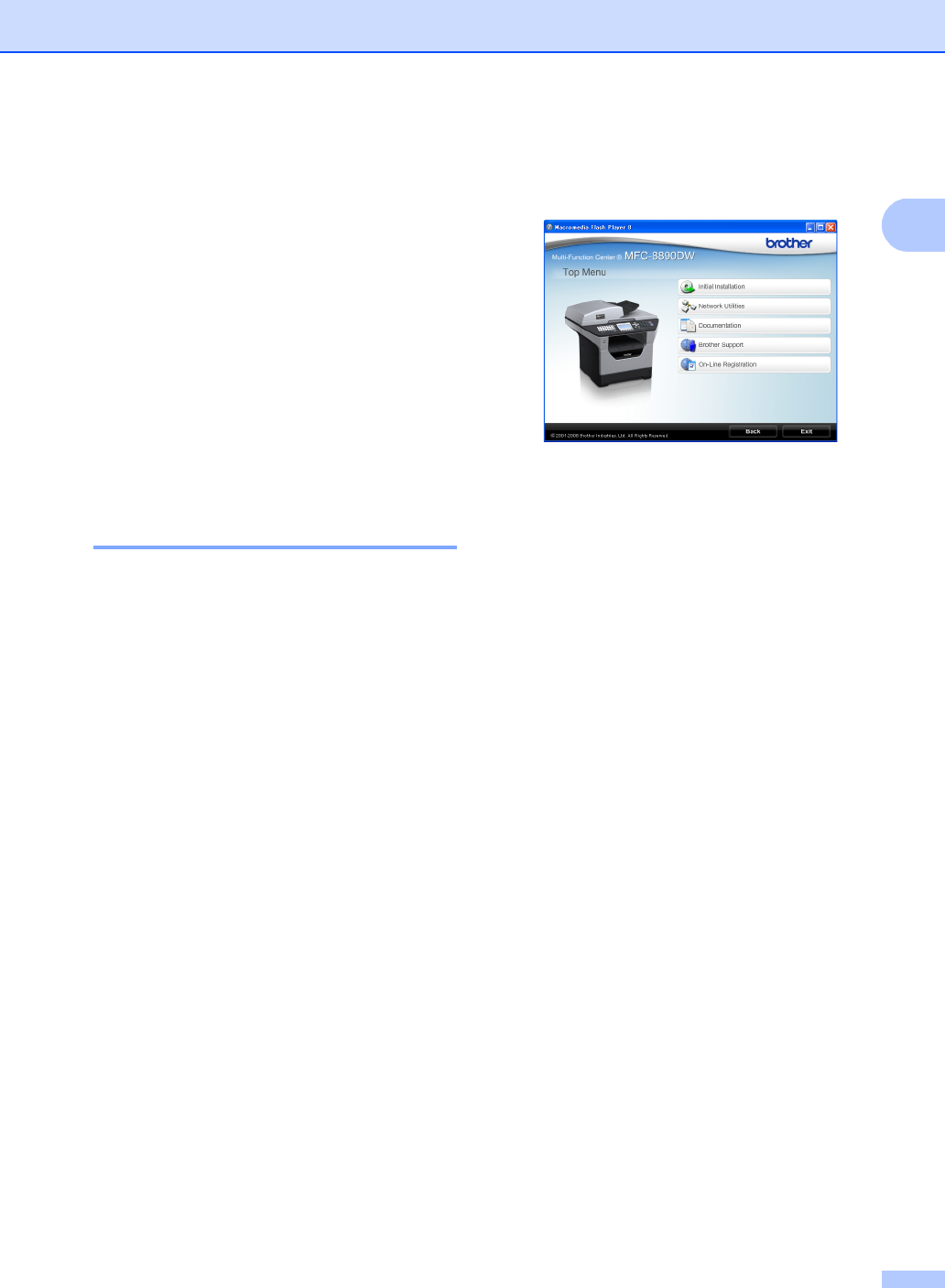
c If the model name screen appears, click
your model name. The CD-ROM main
menu will appear.
If this window does not appear, use
Windows
®
Explorer to find and run the
start.exe program from the root directory
of the Brother CD-ROM.
d Click Documentation.
e Click the documentation you want to
read:
HTML documents (2 manuals):
Software User’s Guide and
Network User’s Guide in HTML
format.
This format is recommended for
viewing on your computer.
PDF documents (4 manuals):
User’s Guide for stand-alone
operations, Software User’s Guide,
Network User’s Guide and
Quick Setup Guide.
This format is recommended for
printing the manuals. Click to go to
the Brother Solutions Center, where
you can view or download the PDF
documents. (Internet access and
PDF Reader software are required.)