
User Guide


Table Of Contents
- USER’S GUIDE MFC-8480DN/MFC-8680DN/MFC-8690DW/MFC-8890DW
- Brother numbers
- Ordering accessories and supplies
- Notice - Disclaimer of Warranties (USA and Canada)
- Compilation and Publication Notice
- Brother™ One-Year Limited Warranty and Replacement Service (USA Only)
- BROTHER MULTIFUNCTION CENTER / FAX MACHINELIMITED WARRANTY (Canada only)
- Table of Contents
- Section I: General
- 1 General information
- Using the documentation
- Accessing the Software User’s Guide and Network User’s Guide
- Viewing documentation
- Viewing documentation (Windows®)
- How to find scanning instructions
- Software User’s Guide:
- ScanSoft™ PaperPort™ 11SE with OCR How-to-Guides:
- How to find Network setup instructions (MFC-8690DW and MFC-8890DW)
- Viewing documentation (Macintosh)
- How to find scanning instructions
- Software User’s Guide:
- Presto! PageManager User’s Guide:
- How to find Network setup instructions (MFC-8690DW and MFC-8890DW)
- Viewing documentation
- Accessing Brother support (Windows®)
- Control panel overview
- 2 Loading paper and documents
- 3 General Setup
- 4 Security features
- 1 General information
- Section II: Fax
- 5 Sending a fax
- How to fax
- Broadcasting
- Additional sending operations
- 6 Receiving a fax
- 7 Telephone services and external devices
- 8 Dialing and storing numbers
- 9 Remote Fax Options
- 10 Polling
- 11 Printing reports
- 5 Sending a fax
- Section III: Copy
- Section IV:Direct printing
- Section V:Software
- Section VI: Appendixes
- A Safety and legal
- B Options
- C Troubleshooting and routine maintenance
- D Menu and features
- E Specifications
- F Glossary
- Index
- brother USA/CAN
154
Routine maintenance C
WARNING
Use neutral detergents.
DO NOT use cleaning materials that
contain ammonia, alcohol, any type of
spray, or any type of flammable substance
to clean the outside or inside of the
machine. Doing this may cause a fire or
electrical shock. (For more information see
Important safety instructions on page 110.)
IMPORTANT
The drum unit contains toner, so handle it
carefully. If toner scatters on your hands
or clothes, wipe or wash it off with cold
water at once.
Cleaning the outside of the
machine C
a Turn off the machine’s power switch.
Unplug the telephone line cord first,
disconnect all cables, and then unplug
the power cord from the AC power
outlet.
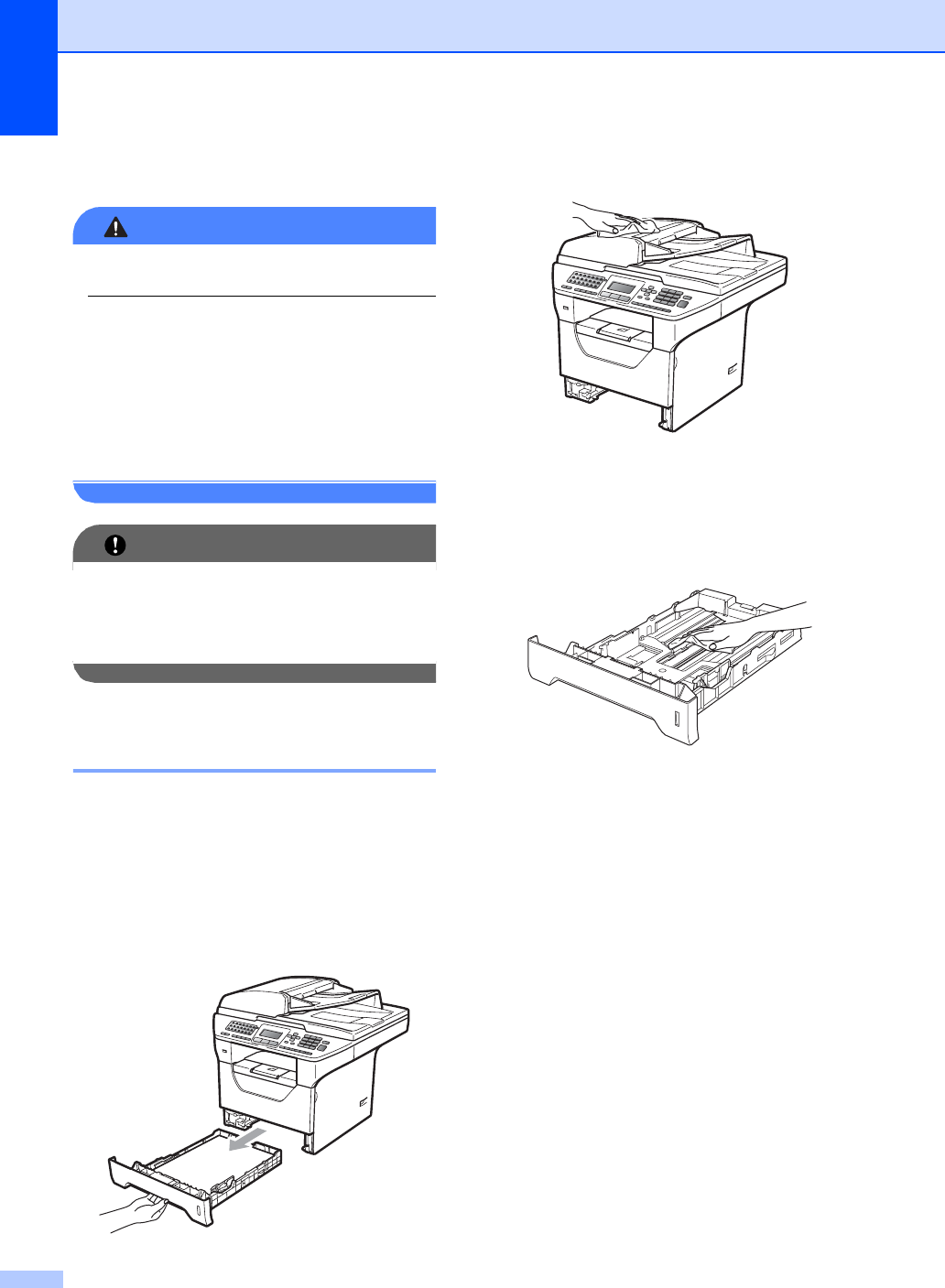
b Pull the paper tray completely out of the
machine.
c Wipe the outside of the machine with a
dry, lint-free soft cloth to remove dust.
d Remove anything that is stuck inside the
paper tray.
e Wipe the inside and the outside of the
paper tray with a dry, lint-free soft cloth
to remove dust.
f Re-load the paper and put the paper tray
firmly back in the machine.
g Plug the machine’s power cord back into
the AC power outlet first, and reconnect
all cables and telephone line cord. Turn
on the machine’s power switch.