
User Guide


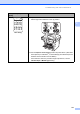


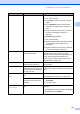


Table Of Contents
- USER’S GUIDE MFC-8480DN/MFC-8680DN/MFC-8690DW/MFC-8890DW
- Brother numbers
- Ordering accessories and supplies
- Notice - Disclaimer of Warranties (USA and Canada)
- Compilation and Publication Notice
- Brother™ One-Year Limited Warranty and Replacement Service (USA Only)
- BROTHER MULTIFUNCTION CENTER / FAX MACHINELIMITED WARRANTY (Canada only)
- Table of Contents
- Section I: General
- 1 General information
- Using the documentation
- Accessing the Software User’s Guide and Network User’s Guide
- Viewing documentation
- Viewing documentation (Windows®)
- How to find scanning instructions
- Software User’s Guide:
- ScanSoft™ PaperPort™ 11SE with OCR How-to-Guides:
- How to find Network setup instructions (MFC-8690DW and MFC-8890DW)
- Viewing documentation (Macintosh)
- How to find scanning instructions
- Software User’s Guide:
- Presto! PageManager User’s Guide:
- How to find Network setup instructions (MFC-8690DW and MFC-8890DW)
- Viewing documentation
- Accessing Brother support (Windows®)
- Control panel overview
- 2 Loading paper and documents
- 3 General Setup
- 4 Security features
- 1 General information
- Section II: Fax
- 5 Sending a fax
- How to fax
- Broadcasting
- Additional sending operations
- 6 Receiving a fax
- 7 Telephone services and external devices
- 8 Dialing and storing numbers
- 9 Remote Fax Options
- 10 Polling
- 11 Printing reports
- 5 Sending a fax
- Section III: Copy
- Section IV:Direct printing
- Section V:Software
- Section VI: Appendixes
- A Safety and legal
- B Options
- C Troubleshooting and routine maintenance
- D Menu and features
- E Specifications
- F Glossary
- Index
- brother USA/CAN

138
Setting Dial Tone detection C
Setting the Dial Tone to Detection will
shorten the Dial Tone detect pause.
a (USA) Press Menu, 0, 4.
(Canada) Press Menu, 0, 5.
04.Dial Tone
a Detection
b No Detection
Select ab or OK
b Press a or b to choose Detection or
No Detection.
Press OK.
c Press Stop/Exit.
Telephone line interference C
If you are having difficulty sending or
receiving a fax due to possible interference
on the telephone line, we recommend that
you adjust the Equalization for compatibility
to reduce the modem speed for fax
operations.
a Press Menu, 2, 0, 1.
20.Miscellaneous
1.Compatibility
a High
b Normal
Select ab or OK
b Press a or b to choose
Basic(for VoIP), Normal or High.
Basic(for VoIP) cuts the
modem speed to 9600 bps. and
turns the error correction mode
(ECM) off.
For a standard telephone line: If you
regularly experience interference on
your standard telephone line try this
setting.
If you are using VoIP: VoIP service
providers offer fax support using
various standards. If you regularly
experience fax transmission errors
try this setting.
Normal sets the modem speed at
14400 bps.
High sets the modem speed at
33600 bps.
Press OK.
c Press Stop/Exit.
Note
When you change the Compatibility to
Basic(for VoIP), the ECM feature is
not available.