
User Guide




Table Of Contents
- USER’S GUIDE MFC-8480DN/MFC-8680DN/MFC-8690DW/MFC-8890DW
- Brother numbers
- Ordering accessories and supplies
- Notice - Disclaimer of Warranties (USA and Canada)
- Compilation and Publication Notice
- Brother™ One-Year Limited Warranty and Replacement Service (USA Only)
- BROTHER MULTIFUNCTION CENTER / FAX MACHINELIMITED WARRANTY (Canada only)
- Table of Contents
- Section I: General
- 1 General information
- Using the documentation
- Accessing the Software User’s Guide and Network User’s Guide
- Viewing documentation
- Viewing documentation (Windows®)
- How to find scanning instructions
- Software User’s Guide:
- ScanSoft™ PaperPort™ 11SE with OCR How-to-Guides:
- How to find Network setup instructions (MFC-8690DW and MFC-8890DW)
- Viewing documentation (Macintosh)
- How to find scanning instructions
- Software User’s Guide:
- Presto! PageManager User’s Guide:
- How to find Network setup instructions (MFC-8690DW and MFC-8890DW)
- Viewing documentation
- Accessing Brother support (Windows®)
- Control panel overview
- 2 Loading paper and documents
- 3 General Setup
- 4 Security features
- 1 General information
- Section II: Fax
- 5 Sending a fax
- How to fax
- Broadcasting
- Additional sending operations
- 6 Receiving a fax
- 7 Telephone services and external devices
- 8 Dialing and storing numbers
- 9 Remote Fax Options
- 10 Polling
- 11 Printing reports
- 5 Sending a fax
- Section III: Copy
- Section IV:Direct printing
- Section V:Software
- Section VI: Appendixes
- A Safety and legal
- B Options
- C Troubleshooting and routine maintenance
- D Menu and features
- E Specifications
- F Glossary
- Index
- brother USA/CAN
106
To use the machine safely A
Please keep these instructions for later reference and read them before attempting any
maintenance. If you do not follow these safety instructions, there is a possibility of a fire, electrical
shock, burn or suffocation.
WARNING
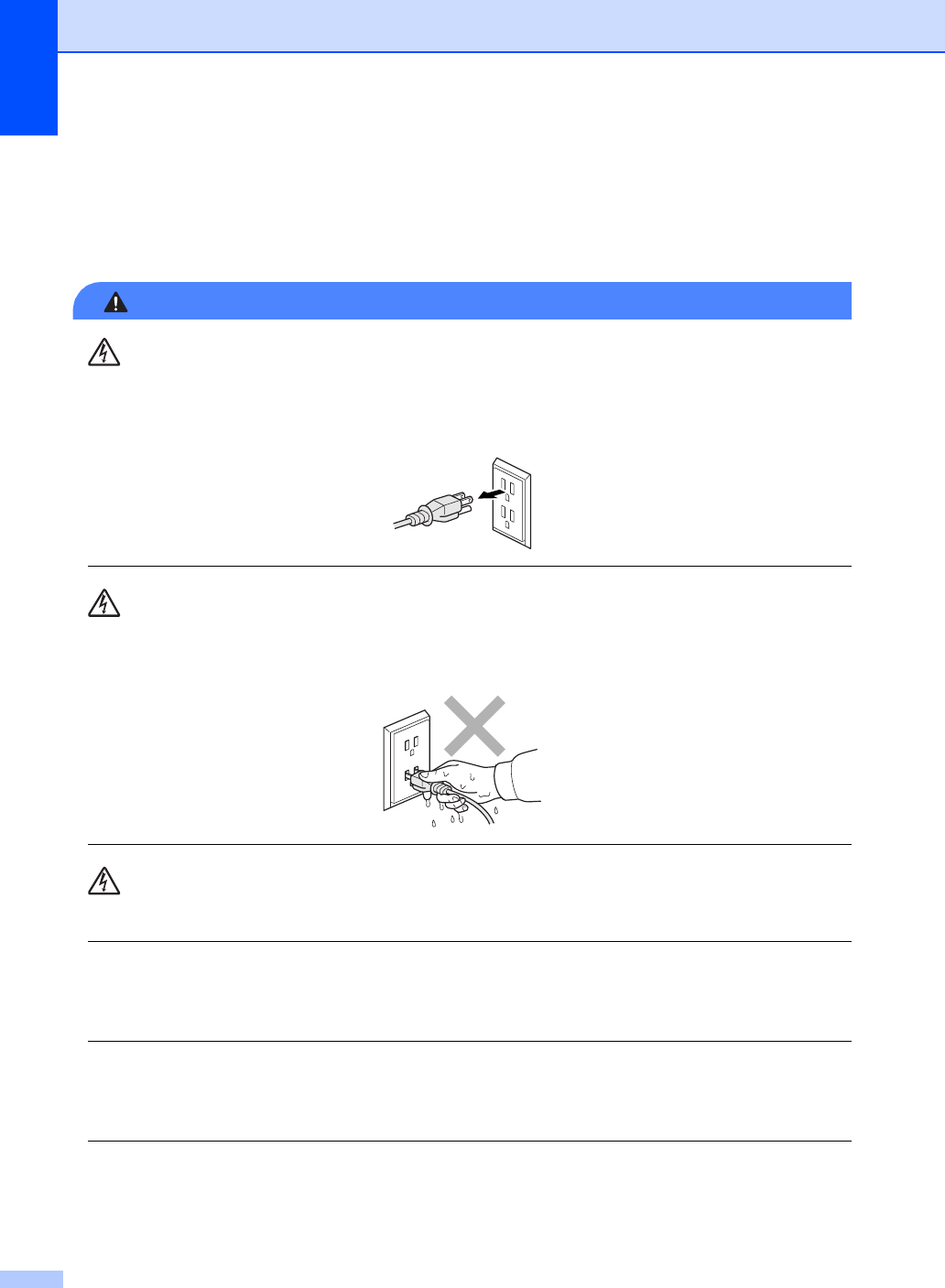
There are high voltage electrodes inside the machine. Before you clean the inside of the
machine, make sure you have unplugged the telephone line cord first and then the power cord
from the AC power outlet. Doing this will prevent an electrical shock.
DO NOT handle the plug with wet hands. Doing this might cause an electrical shock.
Always make sure the plug is fully inserted.
To reduce the risk of shock or fire, use only a No. 26 AWG or larger telecommunication line cord.
This product must be installed near an AC power outlet that is easily accessible. In case of an
emergency, you must unplug the power cord from the AC power outlet to shut off the power
completely.
Lighting and power surges can damage this product! We recommend that you use a quality
surge protection device on the AC power line and on the telephone line, or unplug the cords
during a lightning storm.
Plastic bags are used in the packing of your machine and drum unit. Plastic bags are not toys.
To avoid the danger of suffocation, keep these bags away from babies and children and dispose
of them properly.