
All in One Printer User Manual
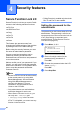

Security features
31
4
Changing the password for
the administrator 4
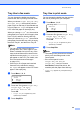
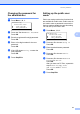
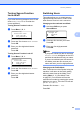
a Press Menu, 1, 8, 1.
18.Security
1.Function Lock
a Lock OffiOn
b Set Password
Select ab or OK
b Press a or b to choose Set Password.
Press OK.
c Enter the registered four-digit password.
Press OK.
d Enter a four-digit number for the new
password.
Press OK.
e If the LCD shows Verify: re-enter the
new password.
Press OK.
f Press Stop/Exit.
Setting up the public user
mode 4
Public user mode restricts the functions that
are available for Public users. Public users do
not need to enter a password to access the
features made available through this setting.
You can set up one Public user.
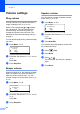
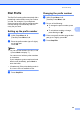
a Press Menu, 1, 8, 1.
18.Security
1.Function Loc k
a Lock OffiOn
b Set Passwor d
Select ab or OK
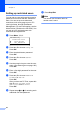
b Press a or b to choose Setup ID.
Press OK.
c Enter the administrator password.
Press OK.
d Press a or b to choose Public.
Press OK.
e Press a or b to choose Enable or
Disable for Fax Tx.
Press OK.
After you have set PC Print, repeat this
step for Fax Rx, Copy, Scan,
USB Direct and PC Print.
Press OK.
f Press Stop/Exit.