
All in One Printer User Manual

160
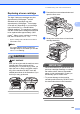
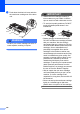
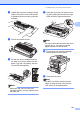
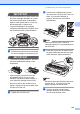
h Press Clear/Back.
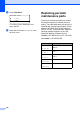
Replace Drum?
a 1.Yes
b 2.No
Select ab or OK
To confirm you are installing a new
drum, press 1.
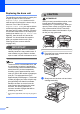
i When the LCD shows Accepted, close
the front cover.
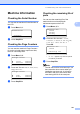
Replacing periodic
maintenance parts C
The periodic maintenance parts will need to
be replaced regularly to maintain the print
quality. The parts listed below will have to be
replaced after printing approximately 50,000
pages for PF KitMP and 100,000 pages for
PF Kit1, PF Kit2, Fuser and Laser. When the
following messages appear on the LCD
please call Brother Customer Service:
(in USA) 1-877-BROTHER (1-877-276-8437)
(in Canada) 1-877-BROTHER
C
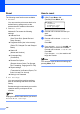
LCD message Description
Replace Parts
PF Kit MP
Replace paper feeding kit for
MP tray.
Replace Parts
PF Kit 1
Replace paper feeding kit for
Tray 1.
Replace Parts
PF Kit 2
Replace paper feeding kit for
Tray 2.
Replace Parts
Fuser Unit
Replace fuser unit.
Replace Parts
Laser Unit
Replace laser unit.