
User Manual
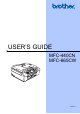




Table Of Contents
- USER’S GUIDE MFC-440CN/MFC-665CW
- Approval Information and Compilation and Publication Notice
- Table of Contents
- Section I:General
- 1 General Information
- 2 Loading documents and paper
- 3 General setup
- 4 Security features
- Section II:Fax
- 5 Sending a fax
- Entering Fax mode
- Broadcasting (Monochrome only)
- Additional sending operations
- Sending faxes using multiple settings
- Contrast
- Changing fax resolution
- Dual access (Monochrome only)
- Real time transmission
- Overseas Mode
- Delayed Faxing (Monochrome only)
- Delayed Batch Transmission (Monochrome only)
- Checking and cancelling waiting jobs
- Setting your changes as a new default
- Restoring all settings to the factory settings
- Sending a fax manually
- Sending a fax at the end of a conversation
- Out of Memory message
- 6 Receiving a Fax
- 7 Telephone Services and External devices
- Voice operations
- Phone line services
- Telephone Service for Australia
- Telephone Service for New Zealand
- Telephone Service for Some Countries
- Connecting an external TAD (telephone answering device)
- External and extension phones
- 8 Dialling and storing numbers
- 9 Digital TAD (MFC-665CW only)
- 10 Advanced fax operations (Monochrome only)
- 11 Printing Reports
- 12 Polling
- 5 Sending a fax
- Section III:Copy
- 13 Making copies
- How to copy
- Copy settings
- ‘Out of Memory’ message
- 13 Making copies
- Section IV:Direct Photo Printing
- Section V:Software
- Section VI:Appendixes
- A:Safety and Legal
- B:Troubleshooting and Routine Maintenance
- Troubleshooting
- Error messages
- Routine maintenance
- Replacing the ink cartridges
- Cleaning the outside of the machine
- Cleaning the scanner
- Cleaning the machine printer platen
- Cleaning the paper pick-up roller
- Cleaning the print head
- Checking the print quality
- Checking the printing alignment
- Checking the ink volume
- Uninstalling the handset and handset cradle (MFC-665CW only)
- Machine Information
- Packing and shipping the machine
- C:Menu and Features
- D:Specifications
- E:Glossary
- Index
- brother ARL/ASA/NZ

ii
Table of Contents
Section I General
1 General Information
Using the documentation .......................................................................................2
Symbols and conventions used in the documentation ....................................2
Accessing the Software User’s Guide and Network User’s Guide ........................3
Viewing Documentation...................................................................................3
Control panel overview ..........................................................................................6
LCD display screen .........................................................................................8
Basic Operations .............................................................................................9
2 Loading documents and paper
Loading documents .............................................................................................10
Using the ADF ...............................................................................................10
Using the scanner glass ................................................................................11
Scanning area ...............................................................................................11
Acceptable paper and other media......................................................................12
Recommended media ...................................................................................12
Handling and using media .............................................................................12
Choosing the right media...............................................................................14
Loading paper, envelopes and other media ........................................................16
Loading paper and other media.....................................................................16
Loading envelopes, post cards and photo paper...........................................18
Printable area ................................................................................................21
3 General setup
Power Save mode ...............................................................................................22
Putting your machine in Power Save mode...................................................22
Bringing your machine out of Power Save mode ..........................................22
Power Save setting........................................................................................22
Mode Timer..........................................................................................................23
Paper settings......................................................................................................24
Paper Type ....................................................................................................24
Paper Size .....................................................................................................24
Volume Settings...................................................................................................25
Ring Volume ..................................................................................................25
Beeper Volume..............................................................................................25
Speaker Volume ............................................................................................26
Setting Daylight Savings Time.............................................................................26
LCD display .........................................................................................................27
LCD Contrast.................................................................................................27
Setting the backlight brightness.....................................................................27
Setting the Dim Timer for the backlight ........................................................27
Setting the Off Timer .....................................................................................28
Setting the Wallpaper ....................................................................................28