Brother PC-FAX 软件 (仅适用于 MFC 型号)
78
6
设置用户信息 6
注释
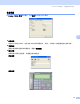
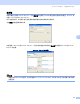
点击 图标可通过传真发送对话框访问用户信息。
(请参见第 87 页上的使用传真机类型用户界面将文件作为 PC-FAX 发送)
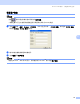
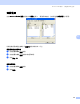
a 点击开始按钮、程序、Brother、MFC-XXXX (XXXX 为型号名称)、 PC-FAX 发送,然后选择 PC-FAX 设置。
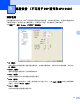
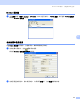
将出现 Brother PC-FAX 设置对话框:
b 输入信息创建传真标题和传真封页。
c 点击确定保存用户信息。
注释
若您是 Windows
®
2000 和 XP 用户,可单独为每个 Windows
®
帐户设置用户信息。