
Network User's Guide

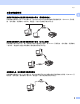

Table Of Contents

在以太网电缆连接的网络中配置设备
10
2
设置 IP 地址和子网掩码 2
使用 BRAdmin 专业版实用程序和 TCP/IP 协议
配置网络打印机 (适用于 Windows
®
) 2
BRAdmin 专业版实用程序 2
BRAdmin 专业版实用程序专用于 TCP/IP 环境,并允许您管理连接到 Brother 设备的网络。
如何使用 BRAdmin 专业版实用程序来配置您的设备 2
注释
• 请使用 Brother 产品随机光盘内所提供的 BRAdmin 专业版实用程序。您也可以从 Brother 网站
http://solutions.brother.com
下载最新的 Brother BRAdmin 专业版实用程序。此程序仅适用于
Windows
®
用户。
• 如果您正在使用个人防火墙软件(例如,Windows
®
XP 中可使用的因特网连接防火墙),请 禁用该软件。一
旦确定可以打印,请重新启动个人防火墙软件。
• 节点名:节点名出现在当前的 BRAdmin 专业版窗口中。默认的节点名是 "BRN_xxxxxx"("xxxxxx" 是以太网
地址的最后六位数字)。
• 对于其他型号,没有默认密码。要设置密码,双击要设置密码的设备,点击控制选项卡,然后点击更改密
码。输入新密码。
a 点击开始 /(所有)程序 / Brother 管理员实用程序 / Brother BRAdmin 专业版实用程序 / BRAdmin 专
业版,启动 BRAdmin 专业版实用程序 (从 Windows
®
98/98SE/Me/2000/XP/XP 专业版 x64 版)。
b 在 BRAdmin 主窗口左栏中选择 TCP/IP 。
c 从设备菜单选择搜索可用设备。BRAdmin 专业版将自动搜索新的设备。