
User Manual
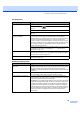
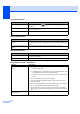
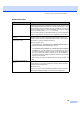
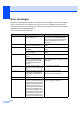


Table Of Contents
- USER'S GUIDE MFC-440CN/665CW
- Approval Information and Compilation and Publication Notice
- Table of Contents
- Section I General
- 1 General Information
- 2 Loading documents and paper
- 3 General setup
- 4 Security features
- Section II Fax
- 5 Sending a fax
- Entering Fax mode
- Broadcasting (Monochrome only)
- Additional sending operations
- Sending faxes using multiple settings
- Contrast
- Changing fax resolution
- Dual access (Monochrome only)
- Real time transmission
- Overseas Mode
- Delayed Faxing (Monochrome only)
- Delayed Batch Transmission (Monochrome only)
- Checking and cancelling waiting jobs
- Setting your changes as a new default
- Restoring all settings to the factory settings
- Sending a fax manually
- Sending a fax at the end of a conversation
- Out of Memory message
- 6 Receiving a Fax
- 7 Telephone Services and External devices
- 8 Dialling and storing numbers
- 9 Digital TAD (MFC-665CW only)
- 10 Advanced fax operations (Monochrome only)
- 11 Printing Reports
- 12 Polling
- 5 Sending a fax
- Section III Copy
- 13 Making copies
- How to copy
- Copy settings
- ‘Out of Memory’ message
- 13 Making copies
- Section IV Direct Photo Printing
- Section V Software
- Section VI Appendixes
- A Safety and Legal
- B Troubleshooting and Routine Maintenance
- Troubleshooting
- Error messages
- Routine maintenance
- Replacing the ink cartridges
- Cleaning the outside of the machine
- Cleaning the scanner
- Cleaning the machine printer platen
- Cleaning the paper pick-up roller
- Cleaning the print head
- Checking the print quality
- Checking the printing alignment
- Checking the ink volume
- Uninstalling the handset and handset cradle (MFC-665CW only)
- Machine Information
- Packing and shipping the machine
- C Menu and Features
- D Specifications
- E Glossary
- F Index
- Brother ENG

124
Error messages B
As with any sophisticated office product, errors may occur. If this happens, your machine identifies
the error and shows an error message. The most common error messages are shown below.
You can correct most errors by yourself. If you need more help, the Brother Solutions Center offers
the latest FAQs and troubleshooting tips.
Visit us at http://solutions.brother.com.
Error Message Cause Action
Comm.Error Poor phone line quality caused a
communication error.
Try to send the fax again or try to connect
the machine to another telephone line. If
the problem continues, call the telephone
company and ask them to check your
phone line.
Connection Fail You tried to poll a fax machine
that is not in Polled Waiting mode.
Check the other fax machine's polling
setup.
Cover is Open The scanner cover is not closed
completely.
Lift the scanner cover and then close it
again.
The ink cartridge cover is not
completely closed.
Firmly close the ink cartridge cover until it
clicks.
Data Remaining Print data is left in the machine's
memory.
Re-start printing from your computer.
Print data is left in the machine's
memory. The USB cable was
unplugged while the computer
was sending the data to the
machine.
Press Stop/Exit. The machine will cancel
the job and clear it from the memory. Try to
print again.
Disconnected The other person or other
person's fax machine stopped the
call.
Try to send or receive again.
Document Jam The document was not inserted or
fed properly, or the document
scanned from the ADF was too
long.
See Using the ADF on page 9.
See Document jam on page 128.
High Temperature The print head is too warm. Allow the machine to cool down.
Ink Empty One or more of the ink cartridges
is empty. The machine will stop all
print operations. While memory is
available, black and white faxes
will be stored in the memory. If a
sending machine has a colour fax,
the machine's ‘handshake’ will
ask that the fax be sent as black
and white. If the sending machine
has the ability to convert it, the
colour fax will be stored in the
memory as a black and white fax.
Replace the ink cartridges. (See Replacing
the ink cartridges on page 131.)