
User Guide




3 - 15 ON-SCREEN PROGRAMMING
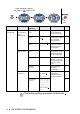
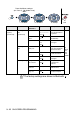
Main Menu Submenu Menu
Selections
Options Descriptions Page
6.LAN
(option)
(Continued)
3.Setup Mail
RX
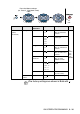
(Continued)
3.Header All
Subject+From+To
None
Selects the contents
of the mail header to
be printed.
See
Network
User’s
Guide
on the
CD-ROM
4.Del Error
Mail
On
Off
Deletes error mails
automatically.
5.
Notification
On
MDN
Off
Sends notification
messages.
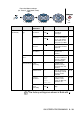
4.Setup Mail
TX
1.Sender
Subject
— Displays the subject
that is attached to the
Internet Fax data.
2.Size Limit On
Off
Limits the size of
E-mail documents.
3.
Notification
On
Off
Sends notification
messages.
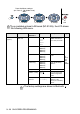
5
.
Setup Relay
1.Rly
Broadcast
On
Off
Relays a document
to another fax
machine.
2.Relay
Domain
RelayXX: Registers the
Domain name.
3.Relay
Report
On
Off
Prints the Relay
Broadcast Report.
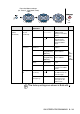
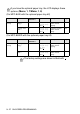
The factory settings are shown in Bold with .
to accept
to
exit
Press the Menu numbers.
(ex. Press 1, 1 for Mode Timer)
—
OR
—
to select to select