
User Guide



11 - 12 USING THE MFC AS A PRINTER
Printing on envelopes
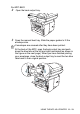
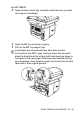
To print on envelopes use manual feed tray or multi-purpose tray.
1
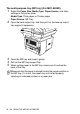
Select the Paper Size, Media Type, Paper Source, and other
settings in the printer driver.
Media Type: Envelope, Env.thin or Env.thick
■
The MFC automatically turns on the Manual Feed mode
when you put paper in the manual feed tray.
■
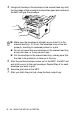
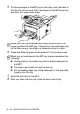
All sides should be properly folded without any wrinkles or
creases.