
User Guide




10 - 8 MAKING COPIES
5
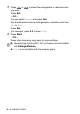
Press or to select the enlargement or reduction ratio
you want.
Press
Set
.
—OR—
You can select
Custom
and press
Set
.
Use the dial pad to enter an enlargement or reduction ratio from
25%
to
400%
.
Press
Set
.
(For example, press
5 3
to enter
53%
.)
6
Press
Start
.
—OR—
Press other temporary copy keys for more settings.
■
Special Copy Options (2in1, 4in1 or Poster) are not available
with
Enlarge/Reduce
.
■ Auto
is not available with the scanner glass.