
Quick Start Manual




20
Installing the Driver & Software
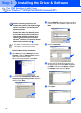
A Basic Universal printer driver was
installed with the MFL-PRO Software Suite
which is certified for use with Windows
®
operating systems.
Brother also offers a full featured printer
driver (Native driver) that includes more
features than the Basic Universal driver.
However, this driver does not include a
Windows
®
certificate. To install the Brother
Native driver proceed to step
L
.
Brother Native driver Installation
L
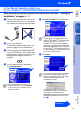
Click Start and select Settings and then
Pointers. Click on Add a printer and the
Add Printer Wizard will start.
When this screen appears, click Next.
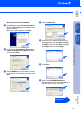
M
Un-check the Automatically detect and
install my Plug and Play printer selection
and then click Next.
N
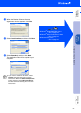
Select USBXXX from the pull down window
for the Printer Port Selection and then click
Next.
O
Click on Have Disk.
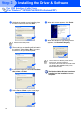
P
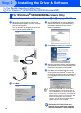
Browse the CD-ROM and highlight your
language folder and click Open. Highlight
the W2K folder and click Open. Highlight
the Addprt folder and click Open.
Q
Click Open.
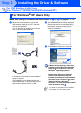
For USB Interface Cable Users
(For Windows
®
98/98SE/Me/2000 Professional/XP)
For details on what features are available
see chapter 12 of the User's Guide.
Step 2