
Multifunction Printer User's Guide


168
1.General Setup
(continued)
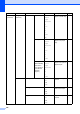
7.LCD Contrast
—
-nnnno+
-nnnon+
-nnonn+*
-nonnn+
-onnnn+
Adjusts the contrast
of the LCD.
26
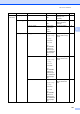
8.Security 1.Function Lock
(MFC-8380DN)
— Can restrict selected
machine operation
for up to 25 individual
users and all other
non-authorized
Public users.
27
1.Mem Security
(MFC-8370DN)
— Stops unauthorized
users from most
operations except
receiving faxes into
the memory.
27
2.Setting Lock — Stops unauthorized
users from changing
the machine’s
current settings.
32
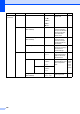
9.Document Scan
1.Glass ScanSize A4*
Letter
Adjusts the scan
area of the scanner
glass to the size of
the document.
38
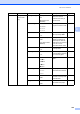
2.File Size
1.Color Small
Middle*
Large
You can set your own
default settings of the
data compression
rate.
See
Software
User’s
Guide
on the
CD-ROM.
2.Gray Small
Middle*
Large
3.Duplex Scan
(MFC-8380DN)
Long edge*
Short edge
Chooses the duplex
scanning format.
36
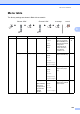
Main Menu Submenu Menu Selections Options Descriptions Page