
Printer/Fax/Scanner/Copier MFC-8220 USER'S GUIDE

13 - 6 OPTIONAL ACCESSORIES
Step 1: Hardware installation
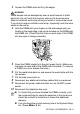
WARNI NG
■
DO NOT touch the surface of the main board within 15 minutes
after turning off the power.
■
DO NOT unplug any internal connectors.
■
Turn the MFC power switch off, before installing (or removing) the
NC-9100h board.
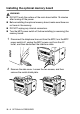
1
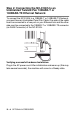
Disconnect the telephone line cord from the MFC, turn the MFC
power switch off, unplug the MFC power cord from the AC
outlet, and then disconnect the interface cable.
2
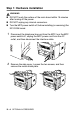
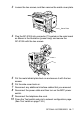
Remove the side cover. Loosen the two screws, and then
remove the metal shield plate.