
User Manual




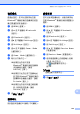


Table Of Contents
- 使用說明書MFC-790CW MFC-990CW
- 核准資訊與編輯及出版聲明
- 目錄
- 第I 部份:一般說明
- 第II 部份:傳真
- 第III 部份:複印
- 第IV 部份:直接照片列印
- 第V 部份:軟體
- 第VI 部份:附錄
- 索引
- brother HK

第 15 章
124
設置設備 15
啟用 Bluetooth
®
無線技術 15
您可以開啟或關閉 Bluetooth
®
無線技
術。
a 按 MENU ( 選單 )。
b 按 a 或 b 鍵顯示 Bluetooth
( 藍牙 )。
c 按 Bluetooth ( 藍牙 )。
d 按 a 或 b 鍵顯示 Turn On/Off
( 開啟 / 關閉 )。
e 按 Turn On/Off ( 開啟 / 關閉 )。
f 按 On ( 開 ) ( 或 Off ( 關 ))。
g 執行以下操作之一:
如果您想變更其他任何設定,
請按您想變更的設定。
如果您不想變更其他設定,請
按停止 / 退出鍵。
密碼鍵 15
透過設定密碼鍵,您可以授權支援
Bluetooth
®
無線技術的設備與您的設
備進行通訊。預設設定為 0000。
a
按 MENU ( 選單 )。
b 按 a 或 b 鍵顯示 Bluetooth
( 藍牙 )。
c 按 Bluetooth ( 藍牙 )。
d
按
a
或
b
鍵顯示
Settings
(
設定
)
。
e 按 Settings ( 設定 )。
f 按 a 或 b 鍵顯示 Pass Key
( 密碼鍵 )。
g 按 Pass Key ( 密碼鍵 )。
h 使用液晶螢幕上的按鈕輸入一個
4 位數的密碼。
按 OK。
i 按停止 / 退出鍵。
Settings
Settings
0000Pass Key
PublicComm. Mode
xx:xx:xx:xx:xx:xxDevice Address