
Printer/Fax/Scanner/Copier Quick Setup Guide
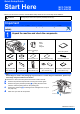
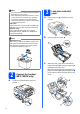
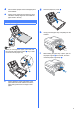
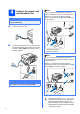
Table Of Contents
- Quick Setup Guide MFC-790CW MFC-990CW
- Start Here
- 1 Unpack the machine and check the components
- 2 Connect the handset (MFC-790CW only)
- 3 Load plain Letter/A4 paper
- 4 Connect the power cord and telephone line
- 5 Install the ink cartridges
- 6 Check the print quality
- 7 Choose your language (If needed)
- 8 Choose the correct Receive Mode
- 9 Setting up the Message Center
- 10 Set the LCD contrast (If needed)
- 11 Set the date and time
- 12 Set your station ID
- 13 Set tone or pulse dialing mode
- 14 Automatic Daylight Savings Time
- 15 Send in the Product Registration and Test Sheet (USA only)
- Set up the cordless handset (MFC-990CW only)
- For USB Interface Users (For Windows® 2000 Professional/XP/XP Professional x64 Edition/ Windows Vista®)
- For USB Interface Users (For Mac OS® X 10.2.4 or greater)
- For Wired Network Interface Users (For Windows® 2000 Professional/XP/XP Professional x64 Edition/ Windows Vista®)
- For Wired Network Interface Users (For Mac OS® X 10.2.4 or greater)
- For Wireless Network Interface Users
- 23 Before you begin
- 24 Confirm your network environment (Infrastructure Mode)
- Connecting the Brother machine to the wireless network
- Install the Drivers & Software (For Windows® 2000 Professional/XP/XP Professional x64 Edition/ Windows Vista®)
- Install the Drivers & Software (For Mac OS® X 10.2.4 or greater)
- Install Optional Applications Windows®
- For Network Users
- Consumables
- brother USA/CAN
- Start Here
2
2
Connect the handset
(MFC-790CW only)
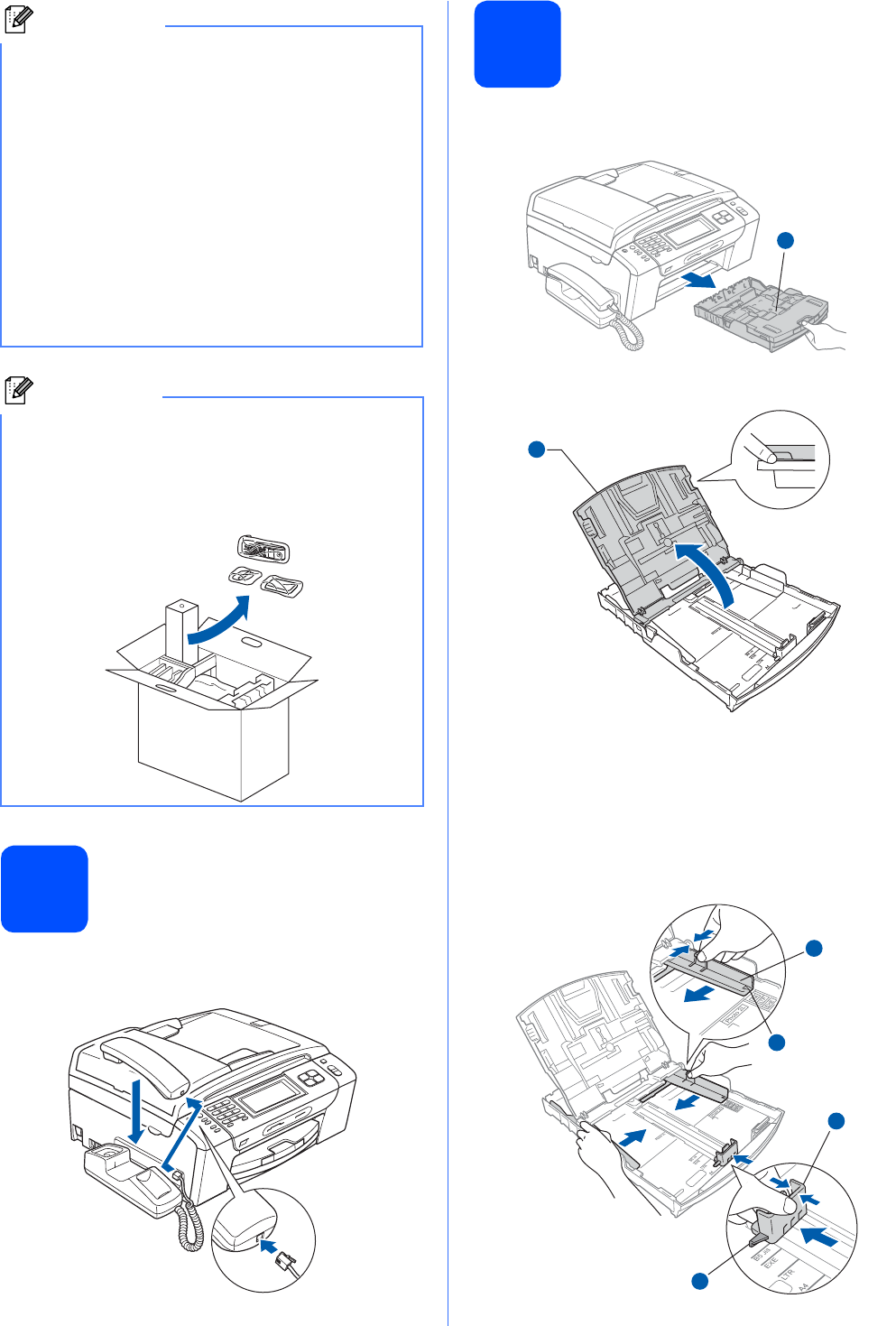
a Connect the curled handset cord to the
handset.
3
Load plain Letter/A4
paper
a Pull the paper tray a completely out of the
machine.
b Open the paper tray cover a.
c With both hands, gently press and slide the
paper side guides a and then the paper length
guide b to fit the paper size.
Make sure that the triangular marks c on the
paper side guides a and paper length guide b
line up with the mark for the paper size you are
using.
Note
• The components included in the box may differ
depending on your country.
• Save all packing materials and the box in case
for any reason you must ship your machine.
• You need to purchase the correct interface
cable for the interface you want to use (for USB
or network connection).
USB cable
Please make sure you use a USB 2.0 cable (Type
A/B) that is no more than 6 feet (2 meters) long.
Network cable
Use a straight-through Category5 (or greater)
twisted-pair cable for 10BASE-T or 100BASE-TX
Fast Ethernet Network.
Note
MFC-990CW only
Make sure you remove the battery, battery cover
and cordless handset from the carton and from
their individual packaging. Save them for when
you Install the battery on page 13.
1
1
1
3
3
2