
Network User's Guide for Internet Fax
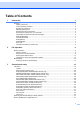

Table Of Contents
- NETWORK USER’S GUIDE MFC-7440N MFC-7840N MFC-7840W
- Table of Contents
- 1 Internet fax
- Overview
- Getting connected
- Control panel key functions
- Sending an Internet fax
- Manually entering text
- Receiving E-mail or Internet fax
- Receiving an Internet fax to your computer
- Forwarding received E-mail and fax messages
- Relay broadcasting
- TX Verification Mail
- Setup Mail TX
- Setup Mail RX
- Error mail
- Important information on Internet fax
- Overview
- 2 Fax operation
- 3 Control panel setup
- LAN menu
- TCP/IP
- Ethernet (wired network only)
- Setup Wizard (MFC-7840W wireless network only)
- SES/WPS/AOSS (MFC-7840W wireless network only)
- WPS w/PIN Code (MFC-7840W wireless network only)
- WLAN Status (MFC-7840W wireless network only)
- Set to Default (MFC-7840W only)
- Wired Enable (MFC-7840W wired network only)
- WLAN Enable (MFC-7840W wireless network only)
- Setup Internet (from the Setup IFAX menu)
- Setup Mail RX (from the Setup IFAX menu)
- Setup Mail TX (from the Setup IFAX menu)
- Setup Relay (from the Setup IFAX menu)
- Scan to E-mail (E-mail server)
- Scan to FTP
- Fax to Server
- Time Zone
- Restoring the network settings to factory default
- Printing the Network Configuration List
- LAN menu
- Appendix A
- Index

v
Table of Contents
1 Internet fax 1
Overview....................................................................................................................................................1
Getting connected ...............................................................................................................................1
Control panel key functions .................................................................................................................2
Sending an Internet fax .......................................................................................................................2
Manually entering text .........................................................................................................................3
Receiving E-mail or Internet fax ..........................................................................................................3
Receiving an Internet fax to your computer.........................................................................................4
Forwarding received E-mail and fax messages...................................................................................4
Relay broadcasting..............................................................................................................................4
TX Verification Mail..............................................................................................................................7
Setup Mail TX......................................................................................................................................7
Setup Mail RX......................................................................................................................................7
Error mail.............................................................................................................................................7
Important information on Internet fax...................................................................................................8
2 Fax operation 9
Storing numbers ........................................................................................................................................9
Storing a pause ...................................................................................................................................9
Storing one touch dial numbers...........................................................................................................9
Storing speed dial numbers...............................................................................................................11
Changing one touch and speed dial numbers ...................................................................................12
Broadcasting ...........................................................................................................................................13
Setting up groups for broadcasting....................................................................................................14
3 Control panel setup 16
LAN menu................................................................................................................................................16
TCP/IP ...............................................................................................................................................16
Ethernet (wired network only)............................................................................................................25
Setup Wizard (MFC-7840W wireless network only) ..........................................................................25
SES/WPS/AOSS (MFC-7840W wireless network only) ....................................................................26
WPS w/PIN Code (MFC-7840W wireless network only) ...................................................................26
WLAN Status (MFC-7840W wireless network only) ..........................................................................26
Set to Default (MFC-7840W only) .....................................................................................................28
Wired Enable (MFC-7840W wired network only) ..............................................................................29
WLAN Enable (MFC-7840W wireless network only) .........................................................................29
Setup Internet (from the Setup IFAX menu)......................................................................................30
Setup Mail RX (from the Setup IFAX menu)......................................................................................35
Setup Mail TX (from the Setup IFAX menu) ......................................................................................37
Setup Relay (from the Setup IFAX menu) .........................................................................................39
Scan to E-mail (E-mail server)...........................................................................................................41
Scan to FTP.......................................................................................................................................43
Fax to Server .....................................................................................................................................44
Time Zone .........................................................................................................................................46
Restoring the network settings to factory default.....................................................................................47
Printing the Network Configuration List ...................................................................................................47