
Network User's Guide for Internet Fax
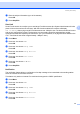
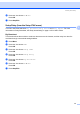
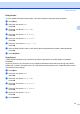

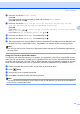

Table Of Contents
- NETWORK USER’S GUIDE MFC-7440N MFC-7840N MFC-7840W
- Table of Contents
- 1 Internet fax
- Overview
- Getting connected
- Control panel key functions
- Sending an Internet fax
- Manually entering text
- Receiving E-mail or Internet fax
- Receiving an Internet fax to your computer
- Forwarding received E-mail and fax messages
- Relay broadcasting
- TX Verification Mail
- Setup Mail TX
- Setup Mail RX
- Error mail
- Important information on Internet fax
- Overview
- 2 Fax operation
- 3 Control panel setup
- LAN menu
- TCP/IP
- Ethernet (wired network only)
- Setup Wizard (MFC-7840W wireless network only)
- SES/WPS/AOSS (MFC-7840W wireless network only)
- WPS w/PIN Code (MFC-7840W wireless network only)
- WLAN Status (MFC-7840W wireless network only)
- Set to Default (MFC-7840W only)
- Wired Enable (MFC-7840W wired network only)
- WLAN Enable (MFC-7840W wireless network only)
- Setup Internet (from the Setup IFAX menu)
- Setup Mail RX (from the Setup IFAX menu)
- Setup Mail TX (from the Setup IFAX menu)
- Setup Relay (from the Setup IFAX menu)
- Scan to E-mail (E-mail server)
- Scan to FTP
- Fax to Server
- Time Zone
- Restoring the network settings to factory default
- Printing the Network Configuration List
- LAN menu
- Appendix A
- Index

Control panel setup
34
3
Mailbox Pwd 3
You can specify the password for the POP3 server account where the internet print jobs are to be retrieved.
a Press Menu.
b Press a or b to choose LAN.
Press OK.
c Press a or b to choose Setup IFAX.
Press OK.
d Press a or b to choose Setup Internet.
Press OK.
e Press a or b to choose Mailbox Pwd.
Press OK.
f Enter the user password assigned to the machine that will login to the POP3 server (up to 32 characters).
Please note that this password is case sensitive.
Press OK.
g Enter the password again.
Press OK.
h Press Stop/Exit.
Note
To set for no password, enter a single space.
APOP 3
You can enable or disable the APOP (Authenticated Post Office Protocol).
a Press Menu.
b Press a or b to choose LAN.
Press OK.
c Press a or b to choose Setup IFAX.
Press OK.
d Press a or b to choose Setup Internet.
Press OK.
e Press a or b to choose APOP.
Press OK.
f Press a or b to choose On or Off.
Press OK.
g Press Stop/Exit.