
Network User's Guide for Internet Fax


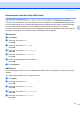


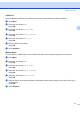
Table Of Contents
- NETWORK USER’S GUIDE MFC-7440N MFC-7840N MFC-7840W
- Table of Contents
- 1 Internet fax
- Overview
- Getting connected
- Control panel key functions
- Sending an Internet fax
- Manually entering text
- Receiving E-mail or Internet fax
- Receiving an Internet fax to your computer
- Forwarding received E-mail and fax messages
- Relay broadcasting
- TX Verification Mail
- Setup Mail TX
- Setup Mail RX
- Error mail
- Important information on Internet fax
- Overview
- 2 Fax operation
- 3 Control panel setup
- LAN menu
- TCP/IP
- Ethernet (wired network only)
- Setup Wizard (MFC-7840W wireless network only)
- SES/WPS/AOSS (MFC-7840W wireless network only)
- WPS w/PIN Code (MFC-7840W wireless network only)
- WLAN Status (MFC-7840W wireless network only)
- Set to Default (MFC-7840W only)
- Wired Enable (MFC-7840W wired network only)
- WLAN Enable (MFC-7840W wireless network only)
- Setup Internet (from the Setup IFAX menu)
- Setup Mail RX (from the Setup IFAX menu)
- Setup Mail TX (from the Setup IFAX menu)
- Setup Relay (from the Setup IFAX menu)
- Scan to E-mail (E-mail server)
- Scan to FTP
- Fax to Server
- Time Zone
- Restoring the network settings to factory default
- Printing the Network Configuration List
- LAN menu
- Appendix A
- Index

Control panel setup
30
3
Setup Internet (from the Setup IFAX menu) 3
This menu has nine selections: Mail Address, SMTP Server, SMTP Port, Auth. for SMTP,
POP3 Server, POP3 Port, Mailbox Name, Mailbox Pwd and APOP. As this section requires you to
enter a lot of text characters, you may find that it is more convenient to use Web Based Management and
your favorite web browser to configure these settings (see the Network User’s Guide on the CD-ROM we
have provided with the machine). For more details about Internet fax, see Internet fax on page 1.
You can also access the character you want by repeatedly pressing the appropriate number key using the
machine’s control panel. For more information, see Entering Text on page 58.
Mail Address 3
a Press Menu.
b Press a or b to choose LAN.
Press OK.
c Press a or b to choose Setup IFAX.
Press OK.
d Press a or b to choose Setup Internet.
Press OK.
e Press a or b to choose Mail Address.
Press OK.
f Press 1 to change. Enter the mail address.
Press OK.
g Press Stop/Exit.
SMTP Server 3
This field displays the node name or IP address of an SMTP mail server (outgoing E-mail server) on your
network.
(Ex, “mailhost.brothermail.net” or “192.000.000.001”)
a Press Menu.
b Press a or b to choose LAN.
Press OK.
c Press a or b to choose Setup IFAX.
Press OK.
d Press a or b to choose Setup Internet.
Press OK.
e Press a or b to choose SMTP Server.
Press OK.