
User`s guide

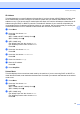

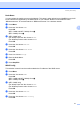
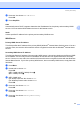

Table Of Contents
- NETWORK USER’S GUIDE MFC-7440N MFC-7840N MFC-7840W
- Table of Contents
- 1 Internet fax
- Overview
- Getting connected
- Control panel key functions
- Sending an Internet fax
- Manually entering text
- Receiving E-mail or Internet fax
- Receiving an Internet fax to your computer
- Forwarding received E-mail and fax messages
- Relay broadcasting
- TX Verification Mail
- Setup Mail TX
- Setup Mail RX
- Error mail
- Important information on Internet fax
- Overview
- 2 Fax operation
- 3 Control panel setup
- LAN menu
- TCP/IP
- Ethernet (wired network only)
- Setup Wizard (MFC-7840W wireless network only)
- SES/WPS/AOSS (MFC-7840W wireless network only)
- WPS w/PIN Code (MFC-7840W wireless network only)
- WLAN Status (MFC-7840W wireless network only)
- Set to Default (MFC-7840W only)
- Wired Enable (MFC-7840W wired network only)
- WLAN Enable (MFC-7840W wireless network only)
- Setup Internet (from the Setup IFAX menu)
- Setup Mail RX (from the Setup IFAX menu)
- Setup Mail TX (from the Setup IFAX menu)
- Setup Relay (from the Setup IFAX menu)
- Scan to E-mail (E-mail server)
- Scan to FTP
- Fax to Server
- Time Zone
- Restoring the network settings to factory default
- Printing the Network Configuration List
- LAN menu
- Appendix A
- Index

Control panel setup
22
3
f Press a or b to choose Auto or Static.
Press OK.
g Press Stop/Exit.
Auto
3
Automatically uses a DHCP request to determine the IP addresses for the primary and secondary WINS
servers. You must set the BOOT Method to Auto for this feature to work.
Static
3
Uses a specified IP address for the primary and secondary WINS servers.
WINS Server 3
Primary WINS Server IP Address 3
This field specifies the IP address of the primary WINS (Windows
®
Internet Name Service) server. If set to a
non-zero value, the machine will contact this server to register its name with the Windows
®
Internet Name
Service.
Secondary WINS Server IP Address
3
This field specifies the IP address of the secondary WINS server. It is used as a backup to the Primary WINS
server address. If the Primary server is unavailable, the machine still can register itself with a secondary
server. If set to a non-zero value, the machine will contact this server to register its name with the Windows
®
Internet Name Service. If you have a primary WINS server, but no secondary WINS server, simply leave this
field blank.
a Press Menu.
b Pressa or b to choose LAN.
Press OK.
(MFC-7440N and MFC-7840N) Go to d.
(MFC-7840W) Go to c.
c (MFC-7840W only)
(For Wired) Press a or b to choose Wired.
(For Wireless) Press a orb to choose WLAN.
Press OK.
d Press a or b to choose TCP/IP.
Press OK.
e Press a or b to choose WINS Server.
Press OK.
f Press a or b to choose Primary or Secondary.
Press OK.