
User`s guide
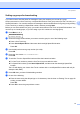
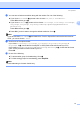



Table Of Contents
- NETWORK USER’S GUIDE MFC-7440N MFC-7840N MFC-7840W
- Table of Contents
- 1 Internet fax
- Overview
- Getting connected
- Control panel key functions
- Sending an Internet fax
- Manually entering text
- Receiving E-mail or Internet fax
- Receiving an Internet fax to your computer
- Forwarding received E-mail and fax messages
- Relay broadcasting
- TX Verification Mail
- Setup Mail TX
- Setup Mail RX
- Error mail
- Important information on Internet fax
- Overview
- 2 Fax operation
- 3 Control panel setup
- LAN menu
- TCP/IP
- Ethernet (wired network only)
- Setup Wizard (MFC-7840W wireless network only)
- SES/WPS/AOSS (MFC-7840W wireless network only)
- WPS w/PIN Code (MFC-7840W wireless network only)
- WLAN Status (MFC-7840W wireless network only)
- Set to Default (MFC-7840W only)
- Wired Enable (MFC-7840W wired network only)
- WLAN Enable (MFC-7840W wireless network only)
- Setup Internet (from the Setup IFAX menu)
- Setup Mail RX (from the Setup IFAX menu)
- Setup Mail TX (from the Setup IFAX menu)
- Setup Relay (from the Setup IFAX menu)
- Scan to E-mail (E-mail server)
- Scan to FTP
- Fax to Server
- Time Zone
- Restoring the network settings to factory default
- Printing the Network Configuration List
- LAN menu
- Appendix A
- Index

Fax operation
14
2
Setting up groups for broadcasting 2
If you often want to send the same fax message to many fax numbers you can set up a group.
Groups are stored on a One Touch key or a Speed Dial number. Each group uses up a One Touch key or a
Speed Dial location. You can then send the fax message to all the numbers stored in a group just by pressing
a One Touch key or entering a Speed Dial number, and then pressing Start.
Before you can add numbers to a group, you need to store them as One Touch or Speed Dial numbers. You
can have up to 8 small groups, or you can assign up to 207 numbers to one large group.
a Press Menu, 2, 3, 3.
Set Quick Dial
3.Setup Groups
b Choose an empty location where you want to store the group in one of the following ways:
Press a One Touch key.
Press Search/Speed Dial and then enter the three-digit Speed Dial location.
Press OK.
c Use the dial pad to enter a group number (01 to 08).
Press OK.
d Press a or b to choose Fax/IFAX or E-Mail.
Press OK.
e To add One Touch or Speed Dial numbers follow the instructions below:
For One Touch numbers, press the One Touch keys one after the other.
For Speed Dial numbers, press Search/Speed Dial, and then enter the three-digit Speed Dial
location.
The LCD will display your chosen One Touch numbers with a l and Speed Dial numbers with a # (for
example l006, #009).
f Press OK when you have finished adding numbers.
g Do one of the following:
Enter the name using the dial pad (up to 15 characters). Use the chart on Entering Text on page 58
to help you enter letters.
Press OK.
Press OK to store the group without a name.