
User`s guide



Table Of Contents
- NETWORK USER’S GUIDE MFC-7440N MFC-7840N MFC-7840W
- Table of Contents
- 1 Internet fax
- Overview
- Getting connected
- Control panel key functions
- Sending an Internet fax
- Manually entering text
- Receiving E-mail or Internet fax
- Receiving an Internet fax to your computer
- Forwarding received E-mail and fax messages
- Relay broadcasting
- TX Verification Mail
- Setup Mail TX
- Setup Mail RX
- Error mail
- Important information on Internet fax
- Overview
- 2 Fax operation
- 3 Control panel setup
- LAN menu
- TCP/IP
- Ethernet (wired network only)
- Setup Wizard (MFC-7840W wireless network only)
- SES/WPS/AOSS (MFC-7840W wireless network only)
- WPS w/PIN Code (MFC-7840W wireless network only)
- WLAN Status (MFC-7840W wireless network only)
- Set to Default (MFC-7840W only)
- Wired Enable (MFC-7840W wired network only)
- WLAN Enable (MFC-7840W wireless network only)
- Setup Internet (from the Setup IFAX menu)
- Setup Mail RX (from the Setup IFAX menu)
- Setup Mail TX (from the Setup IFAX menu)
- Setup Relay (from the Setup IFAX menu)
- Scan to E-mail (E-mail server)
- Scan to FTP
- Fax to Server
- Time Zone
- Restoring the network settings to factory default
- Printing the Network Configuration List
- LAN menu
- Appendix A
- Index
9
2
2
You can follow instructions in the User’s Guide we have provided with the machine for how to use your
machine as a fax after installing the internet fax software. This chapter explains some operations which are
unique for the internet fax capable machine.
Storing numbers 2
You can set up your machine to do the following types of easy dialing: One Touch, Speed-Dial and Groups
for Broadcasting faxes. You can also specify the default resolution for each One Touch and Speed Dial
number. When you dial a quick dial number, the LCD shows the name, if you stored it, or the number. A scan
profile can also be stored along with the fax number.
If you lose electrical power, the quick dial numbers stored in the memory will not be lost.
A scan profile is the resolution and other scan settings that you choose when you store a number.
Storing a pause 2
Press Redial/Pause to insert a 3.5-second or 2.8-second (for UK and Ireland) pause between numbers. You
can press Redial/Pause as many times as needed to increase the length of the pause.
Storing one touch dial numbers 2
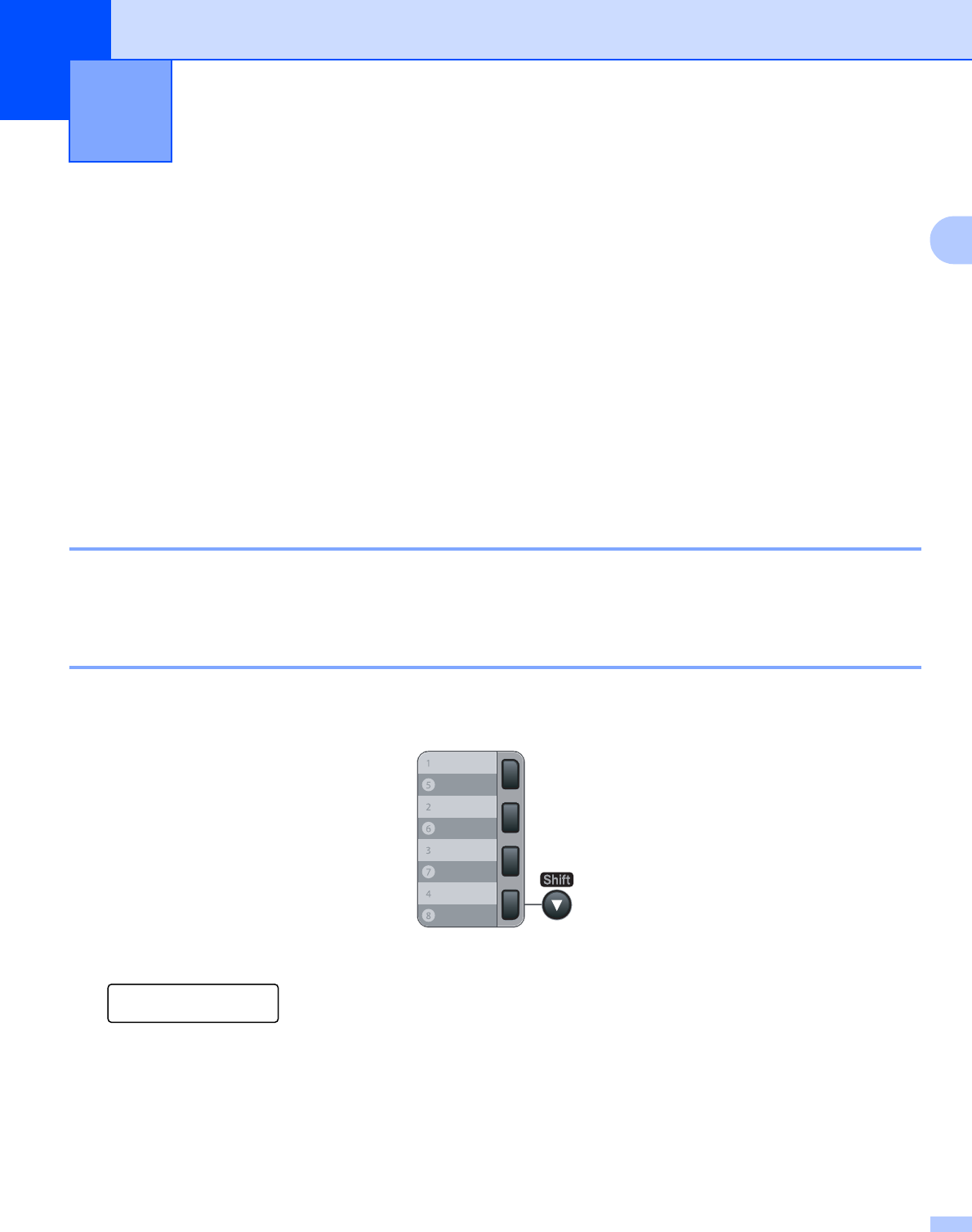
Your machine has 4 One Touch keys where you can store 8 fax or telephone numbers for automatic dialing.
To access numbers 5 to 8, hold down Shift as you press the One Touch key.
a Press Menu, 2, 3, 1.
Set Quick Dial
1.One Touch Dial
b Press the One Touch key where you want to store a number.
c Press a or b to choose Fax/Tel, E-Mail or IFAX.
Press OK.
Fax operation 2